🎨 灵感广场
共收录 358 个灵感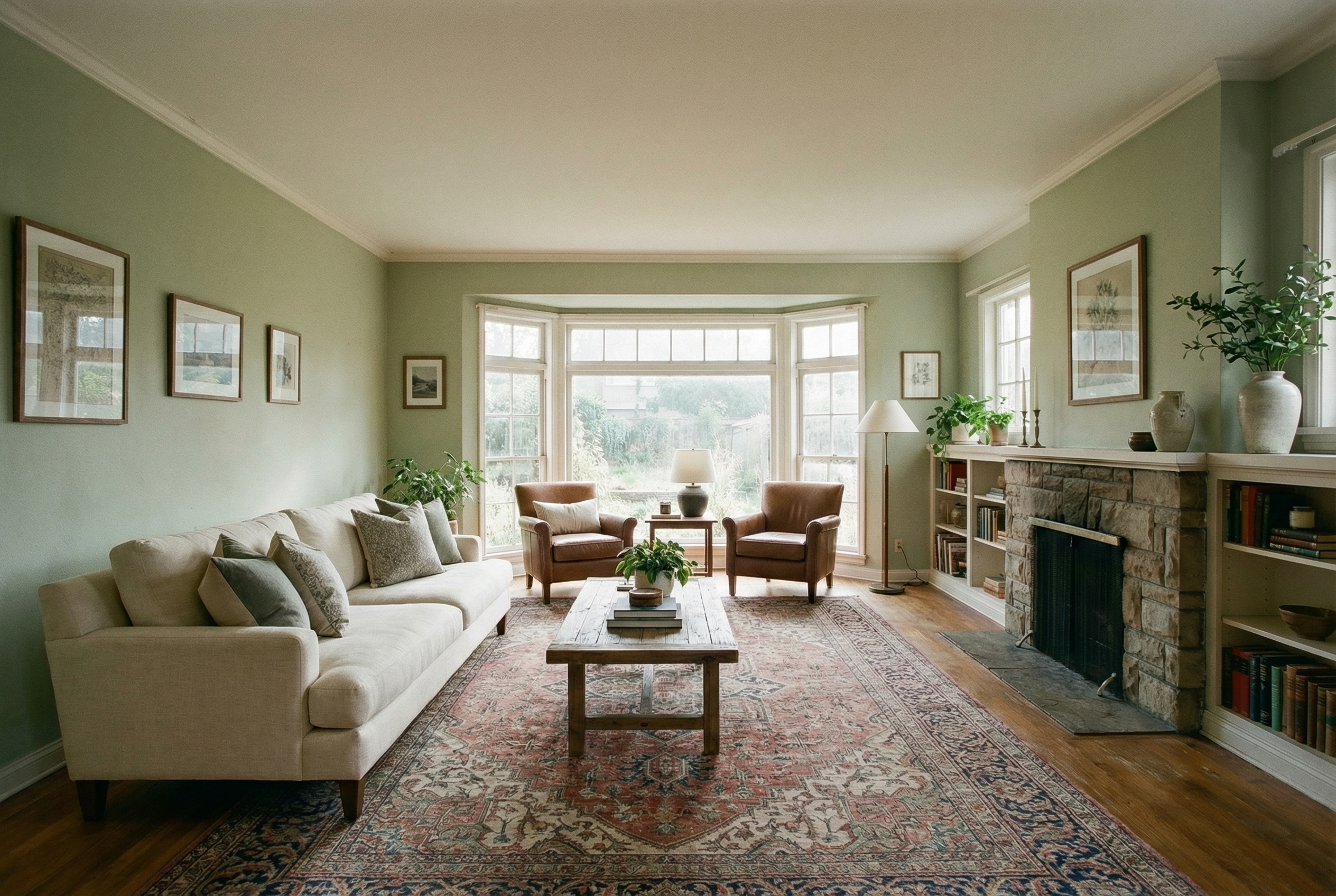
Show me how this room would look with furniture in it
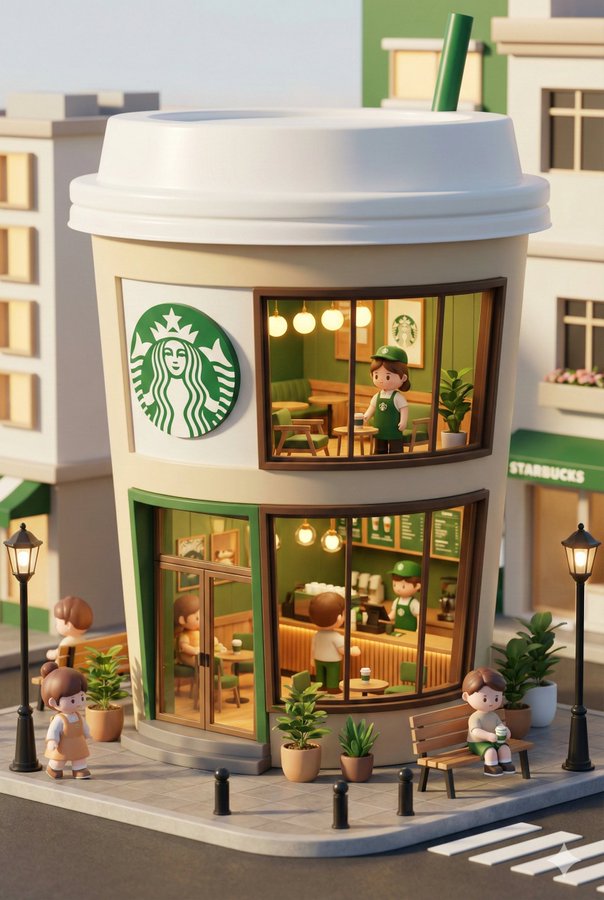
3D chibi-style miniature concept store of {Brand Name}, creatively designed with an exterior inspired by the brand's most iconic product or packaging (such as a giant {brand's core product, e.g., chicken bucket/hamburger/donut/roast duck}). The store features two floors with large glass windows clearly showcasing the cozy and finely decorated interior: {brand's primary color}-themed decor, warm lighting, and busy staff dressed in outfits matching the brand. Adorable tiny figures stroll or sit along the street, surrounded by benches, street lamps, and potted plants, creating a charming urban scene. Rendered in a miniature cityscape style using Cinema 4D, with a blind-box toy aesthetic, rich in details and realism, and bathed in soft lighting that evokes a relaxing afternoon atmosphere. --ar 2:3
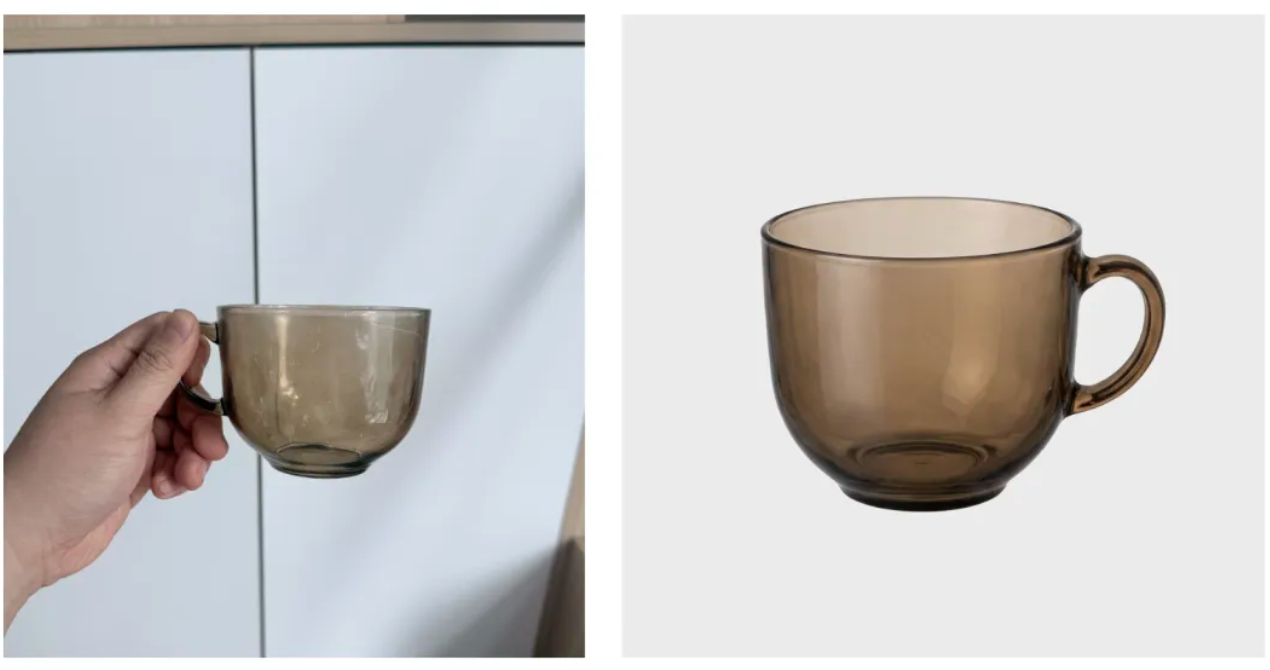
Identify the main product in the uploaded photo (automatically removing any hands holding it or messy background details). Recreate it as a premium e-commerce product shot . Subject Isolation : Cleanly extract the product, completely removing any fingers, hands, or clutter . Background : Place the product on a pure white studio background (RGB 255, 255, 255) with a subtle, natural contact shadow at the base to ground it. Lighting : Use soft, commercial studio lighting to highlight the product's texture and material. Ensure even illumination with no harsh glare. Retouching : Automatically fix any lens distortion, improve sharpness, and color-correct to make the product look brand new and professional .
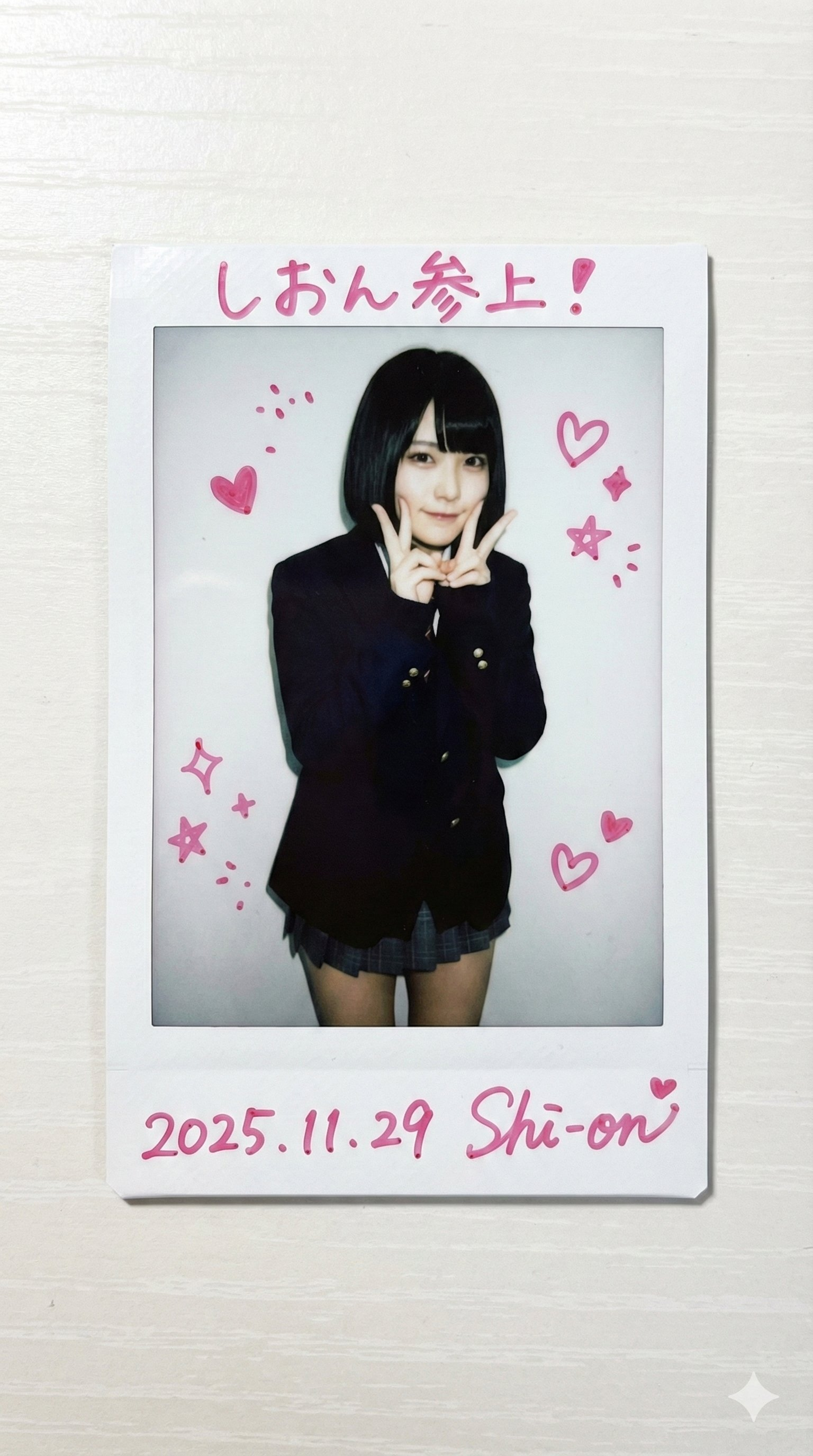
请使用附图中的人物。 姓名:____。 这张“instax mini”(Cheki)相机放置在桌面上的照片已生成,完美还原了附图中人物的发型、服装和风格。 [胶片格式规格] 整张照片为竖版矩形(86mm x 54mm)。 照片四周环绕着白色边框,顶部、左侧和右侧边框较窄,底部边框较宽(约为顶部边框的两倍),精确再现了instax mini的独特格式。 图像区域为竖版(4:3比例)。 [注释规格(由AI根据附图中人物的性格推断)] 以下涂鸦使用马克笔手写,颜色与附图中人物的性格相符。 1. 顶部窄边:一行根据人物性格推断的日语信息。 2. 底部宽阔的留白:照片的创作日期(例如,2025.11.29)以及人物流畅的手写签名。 3. 照片主体部分:点缀着可爱的涂鸦,例如爱心、星星、闪光和表情符号,但并未遮挡面部。 [人物] 照片主体位于画面中心,拍摄对象从头部到膝盖。人物在白墙前摆出一个随意的、类似偶像的姿势(姿势是根据人物的外貌推断的)。高对比度、略微泛白的胶片质感表明照片是用闪光灯直射拍摄的。 [纹理和背景] 照片放置在白色桌面上,投射出自然的阴影。
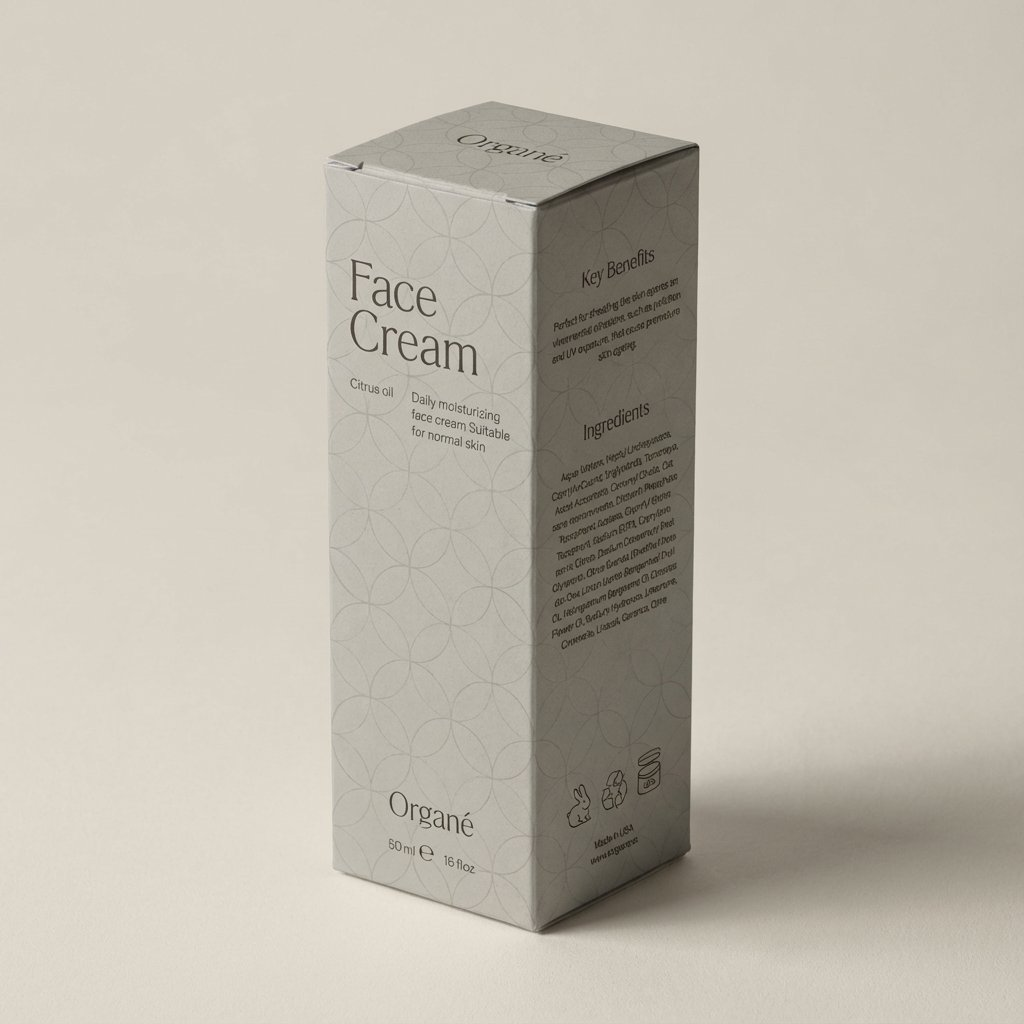
将模切线组装成一个完美折叠的3D盒子,确保面板位置精准、边缘清晰、文字无变形。所有图案均需与模切线上的印刷完全一致。在简约的高端摄影棚环境中,以柔和的中性背景、漫射光和微妙的阴影渲染盒子,无需任何额外道具。以精致的四分之三角度展示盒子竖立的形态。呈现超逼真的细节、真实的色彩、哑光纸板质感、清晰的折痕,以及高端的编辑美感。
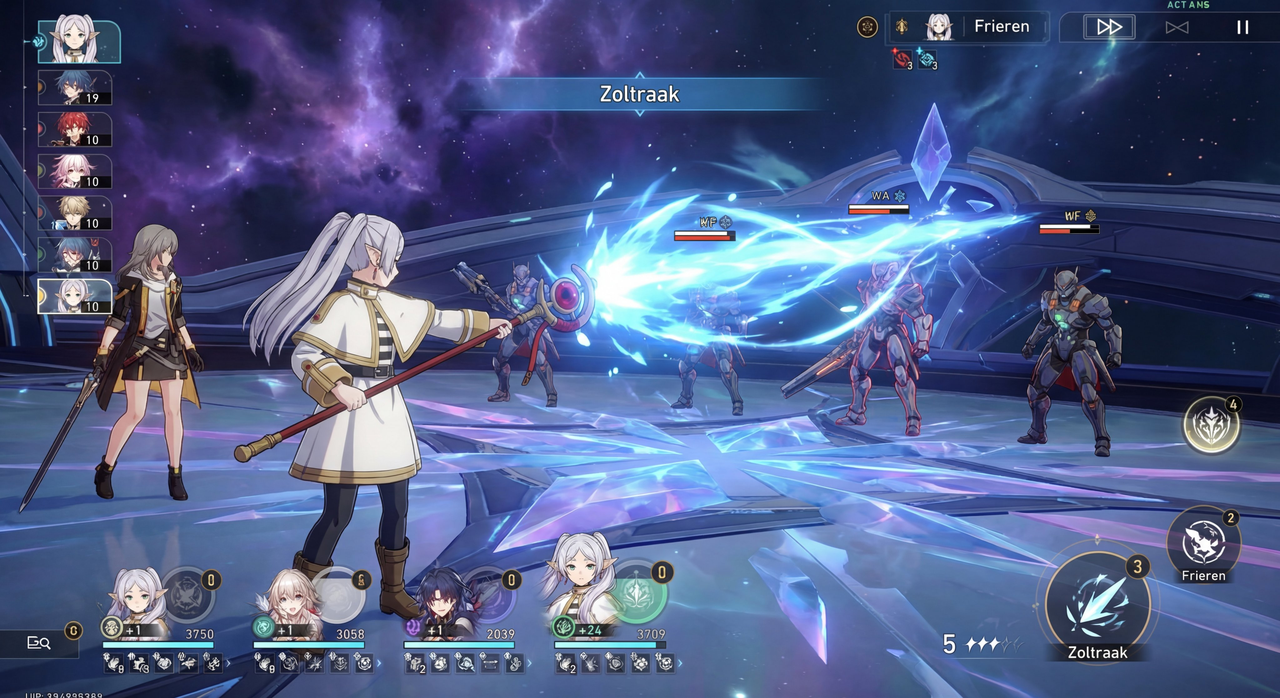
一张高清4K截图,展示了《崩坏3:星之轨道》PC版的游戏画面,图中联动角色为芙莉莲。她正在战斗中,用法杖施放佐特拉克。
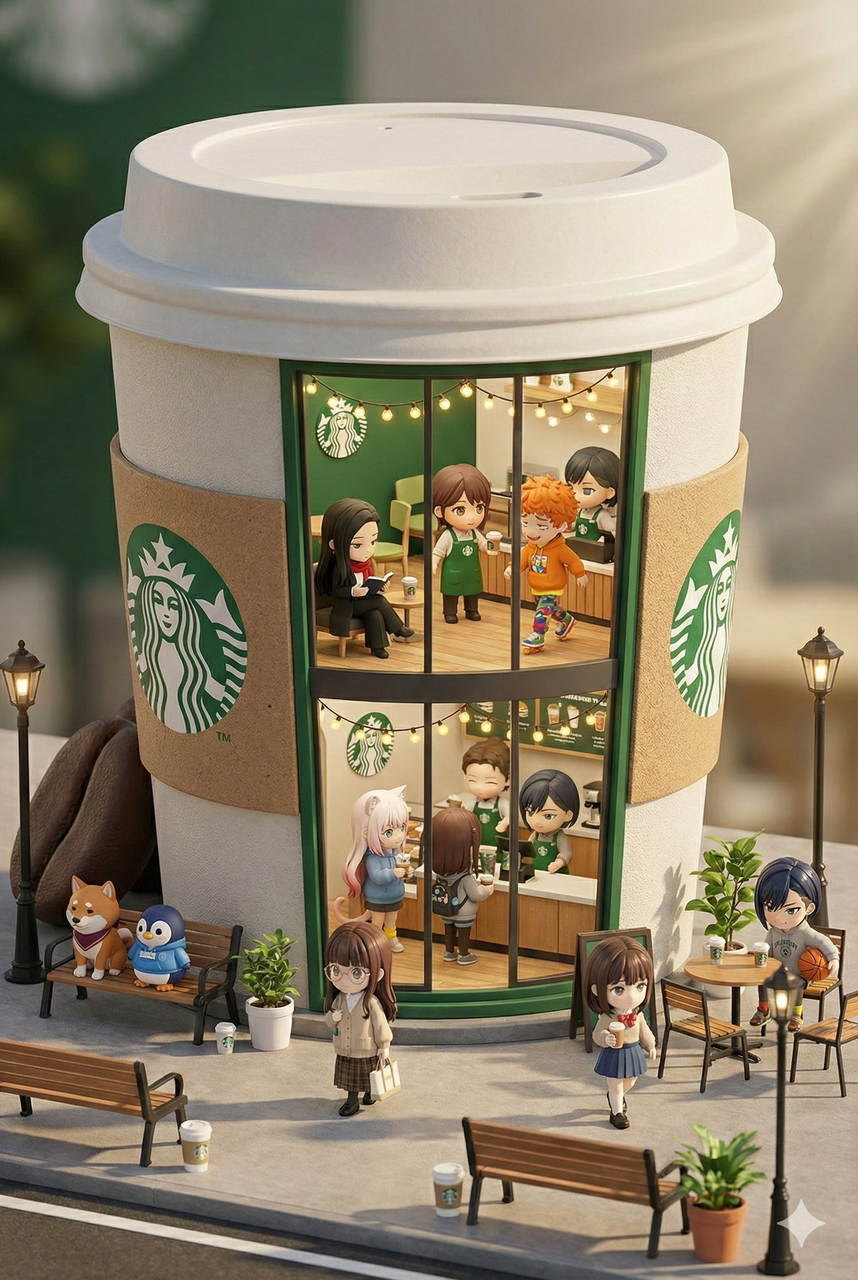
这款3D Q版 [星巴克] 迷你概念店设计别具匠心,其外观灵感源自品牌最具代表性的产品和包装(例如,巨型{品牌核心产品,如炸鸡桶/汉堡/甜甜圈/烤鸭})。店铺共两层,落地玻璃窗将温馨精致的内部装潢尽收眼底:{品牌主色调}主题装饰、温暖的灯光,以及身着品牌专属服装的忙碌员工。可爱的小人偶在街道上漫步、休憩,周围环绕着长椅、路灯和盆栽,营造出迷人的都市景象。该作品采用Cinema 4D软件以微缩城市景观风格渲染,拥有盲盒玩具般的精致美感,细节丰富,栩栩如生,柔和的灯光更添一份轻松惬意的午后氛围。请参阅随附的角色设定图,了解店内出现的迷你角色。--ar 2:3
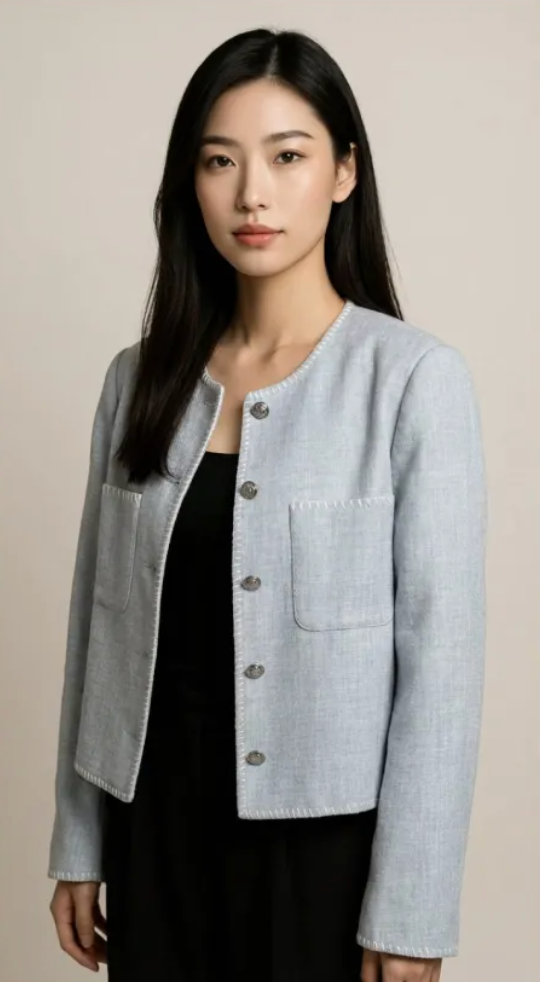
Using Image 1 (the garment) and Image 2 (the model), create a hyper-realistic full-body fashion photo where the model is wearing the garment. Crucial Fit Details : The [T-shirt/Jacket] must drape naturally on the model's body, conforming to their posture and creating realistic folds and wrinkles . High-Fidelity Preservation : Preserve the original fabric texture, color, and any logos from Image 1 with extreme accuracy. Seamless Integration : Blend the garment into Image 2 by perfectly matching the ambient lighting, color temperature, and shadow direction . Photography Style : Clean e-commerce lookbook, shot on a Canon EOS R5 with a 50mm f/1.8 lens for a natural, professional look.
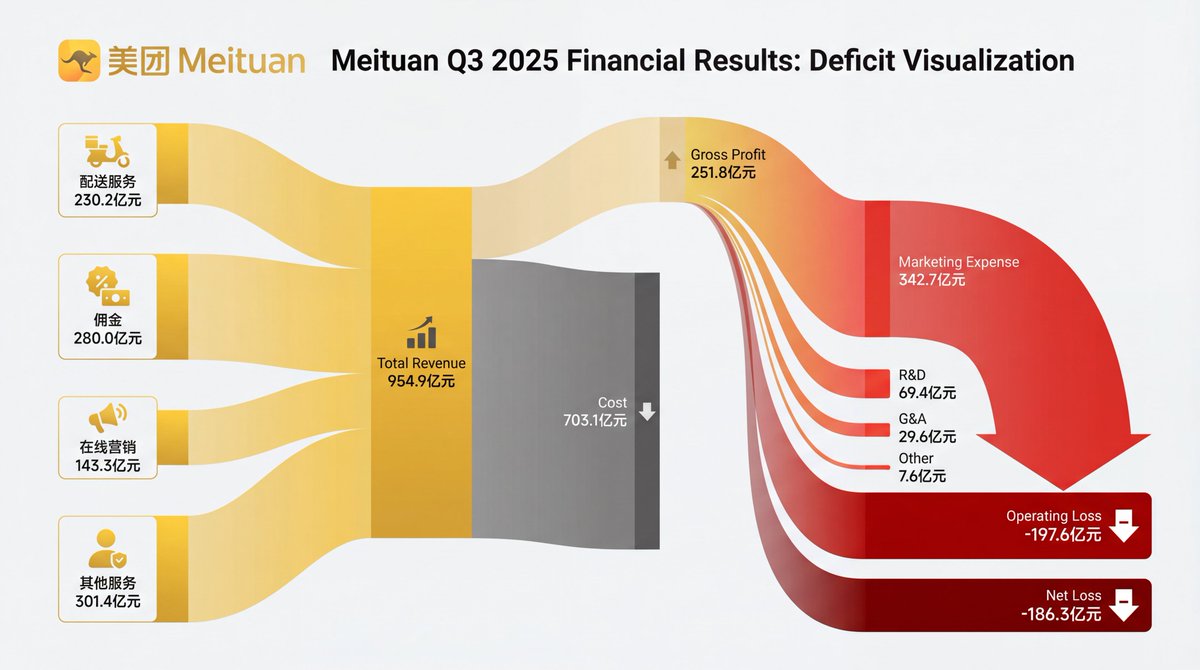
[Subject]: A professional financial Sankey diagram visualizing the Income Statement of a major corporation, in the style of "App Economy Insights" and US corporate financial reports.[Visual Style]: High-fidelity vector infographic, clean minimalist aesthetic, flat design. The background is a clean, very light grey or off-white.[Color Strategy - CRITICAL]: Analyze the [Insert Brand Name Here] logo. Extract its primary brand color (e.g., if Nvidia use neon green, if Meta use blue, if Tesla use red). Use this primary color as the dominant theme for the main revenue flows and profit blocks. Create a harmonious color palette based on this primary color: use saturated shades for the vertical nodes (bars) and semi-transparent, lighter opacity gradients for the flowing paths to ensure a cohesive and professional look. Avoid clashing colors.[Composition & Structure]: Flow: A horizontal flow from Left (Revenue Sources) to Right (Net Profit). Texture: The connecting paths (flows) must appear "silky smooth" with elegant Bezier curves, looking like liquid ribbons, not jagged lines. Iconography: On the left side (Revenue sources), include specific, minimalist flat vector icons representing the business segments (e.g., a car icon for automotive, a cloud icon for services, a chip icon for hardware). Branding: Place the official [Insert Brand Name Here] logo clearly at the top center or near the central revenue bar.[Details]: High resolution, 4k, sharp typography (sans-serif), professional data visualization layout. The chart clearly distinguishes between Revenue, Gross Profit, Operating Expenses, and Net Profit.
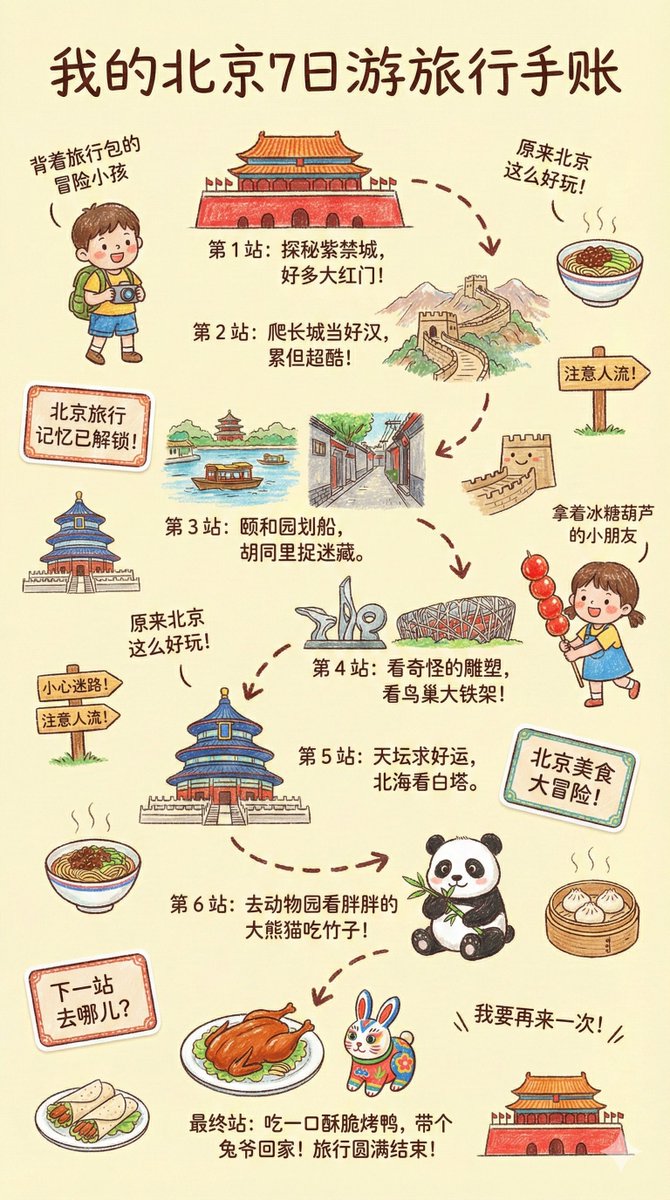
--- Prompt --- Please create a vibrant, child-like crayon-style vertical (9:16) illustration titled "{City Name} Travel Journal." The artwork should look as if it were drawn by a curious child using colorful crayons, featuring a soft, warm light-toned background (such as pale yellow), combined with bright reds, blues, greens, and other cheerful colors to create a cozy, playful travel atmosphere. I. Main Scene: Travel-Journal Style Route Map In the center of the illustration, draw a "winding, zigzagging travel route" with arrows and dotted lines connecting multiple locations. The route should automatically generate recommended attractions based on {Number of Days}: Example structure (auto-filled with {City Name}-related content): - "Stop 1: {Attraction 1 + short fun description}" - "Stop 2: {Attraction 2 + short fun description}" - "Stop 3: {Attraction 3 + short fun description}" - … - "Final Stop: {Local signature food or souvenir + warm closing remark}" Rules: - If no number of days is provided, default to a 1-day highlight itinerary. II. Surrounding Playful Elements (Auto-adapt to the City) Add many cute doodles and child-like decorative elements around the route, such as: 1. Adorable travel characters - A child holding a local snack - A little adventurer with a backpack 2. Q-style hand-drawn iconic landmarks - "{City Landmark 1}" - "{City Landmark 2}" - "{City Landmark 3}" 3. Funny signboards - "Don't get lost!" - "Crowds ahead!" - "Yummy food this way!" (Auto-adjust contextually for the city) 4. Sticker-style short phrases - "{City Name} travel memories unlocked!" - "{City Name} food adventure!" - "Where to next?" 5. Cute icons of local foods - "{Local Food 1}" - "{Local Food 2}" - "{Local Food 3}" 6. Childlike exclamations - "I didn't know {City Name} was so fun!" - "I want to come again!" III. Overall Art Style Requirements - Crayon / children's hand-drawn travel diary style - Bright, warm, colorful palette - Cozy but full and lively composition - Emphasize the joy of exploring - All text should be in a cute handwritten font - Make the entire page feel like a young child's fun travel-journal entry
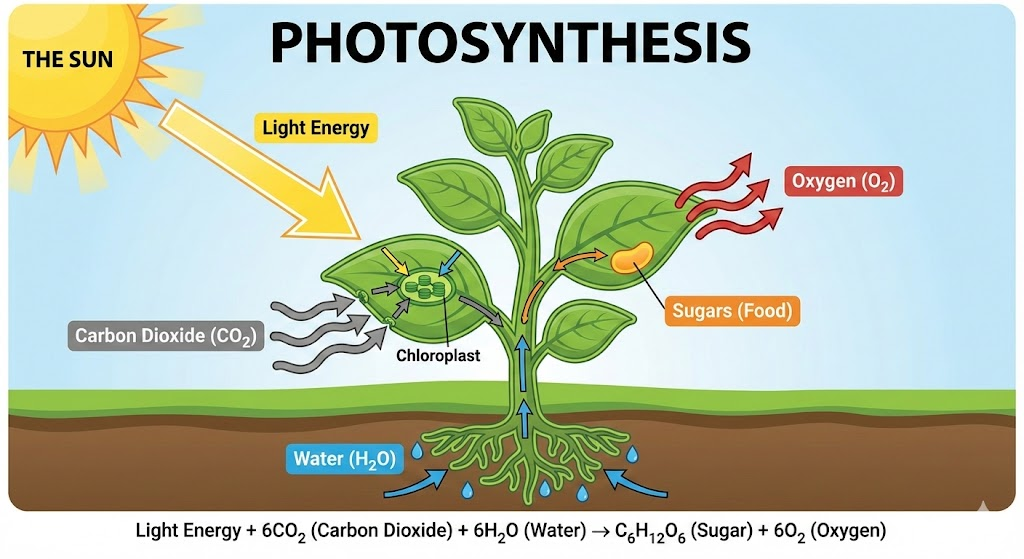
Create an educational infographic explaining [Photosynthesis] . Visual Elements : Illustrate the key components: The Sun, a green Plant, Water (H2O) entering roots, Carbon Dioxide (CO2) entering leaves, and Oxygen (O2) being released. Style : Clean, flat vector illustration suitable for a high school science textbook. Use arrows to show the flow of energy and matter. Labels : Label each element clearly in English .
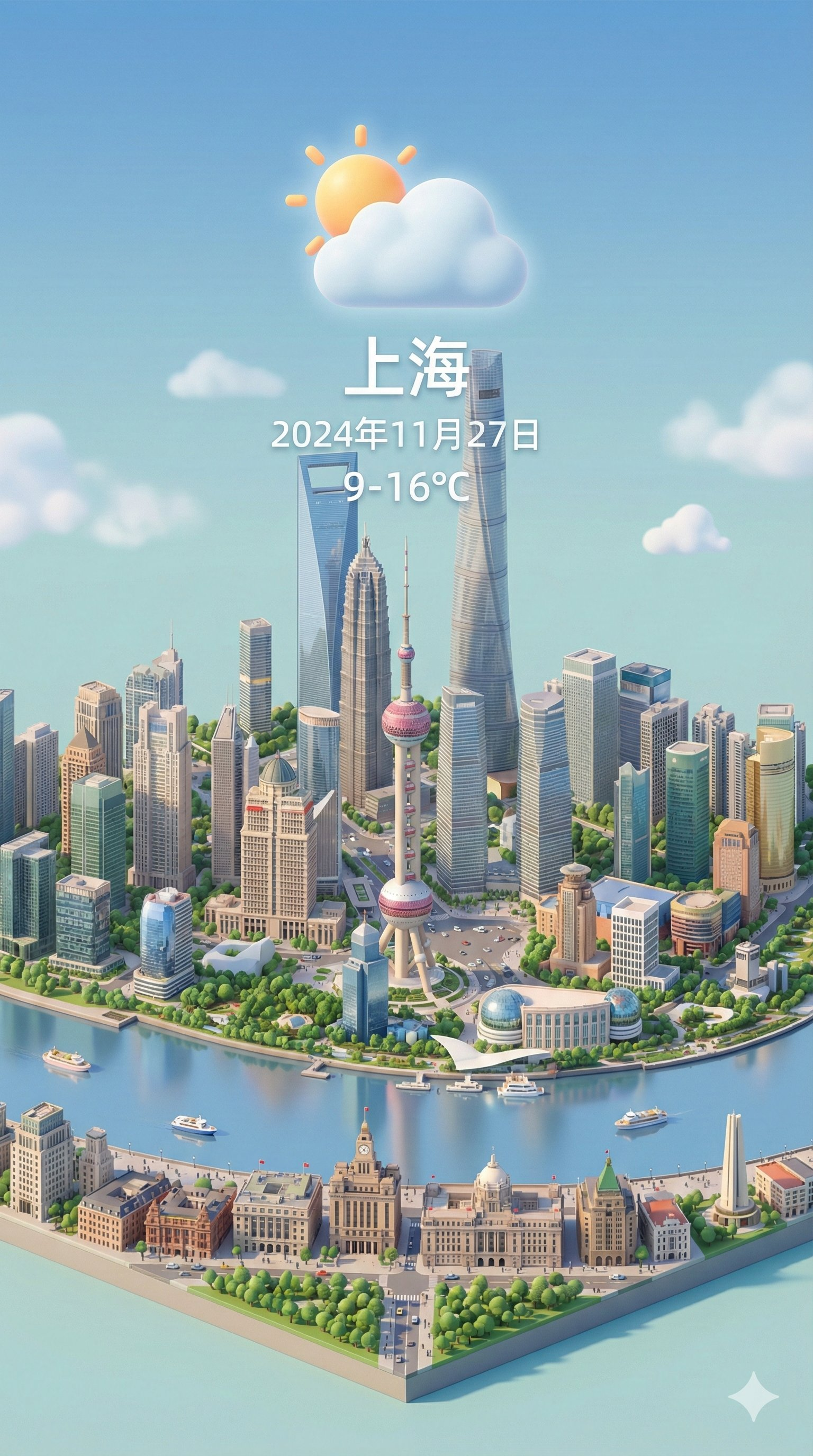
呈现一个清晰的45°俯视视角,垂直(9:16)等距3D微缩卡通场景,突出画面中心的标志性地标,展现精细的建模。 场景采用柔和细腻的纹理,搭配逼真的PBR材质和柔和逼真的光影效果。天气元素巧妙地融入城市建筑,在城市景观和大气条件之间建立动态互动,营造身临其境的天气氛围。 使用简洁统一的构图,采用极简主义美学,并以柔和的纯色背景突出主要内容。整体视觉风格清新舒缓。 在顶部中心醒目位置显示天气图标,其下方显示日期(超小字体)和温度范围(中等字体)。城市名称(大字体)位于天气图标正上方。天气信息无背景,可以与建筑物略微重叠。 文本应与输入城市的本地语言一致。 渲染前请获取指定城市的当前天气状况。 城市名称:[上海]
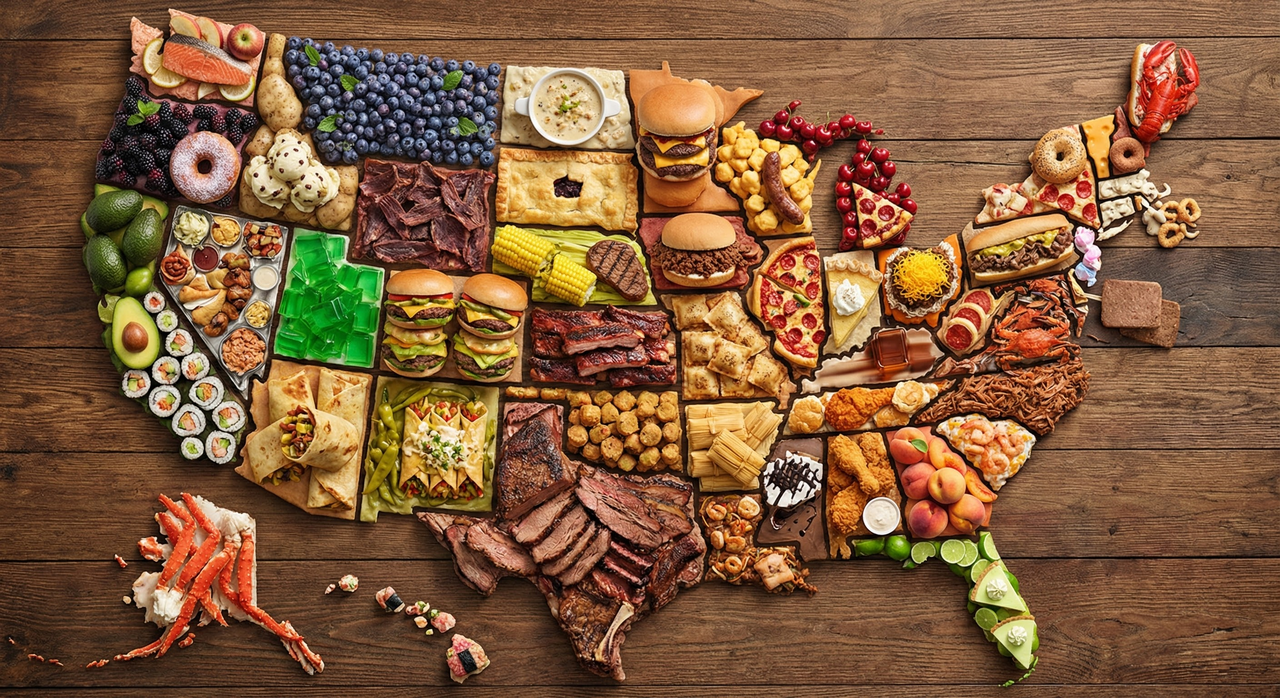
制作一张 [国家名称] 地图,地图上每个州都用该州最著名的食物来构成(各州地图上的图案应该看起来像是由食物组成的,而不是食物的图片)。仔细检查,确保每个州都正确无误。
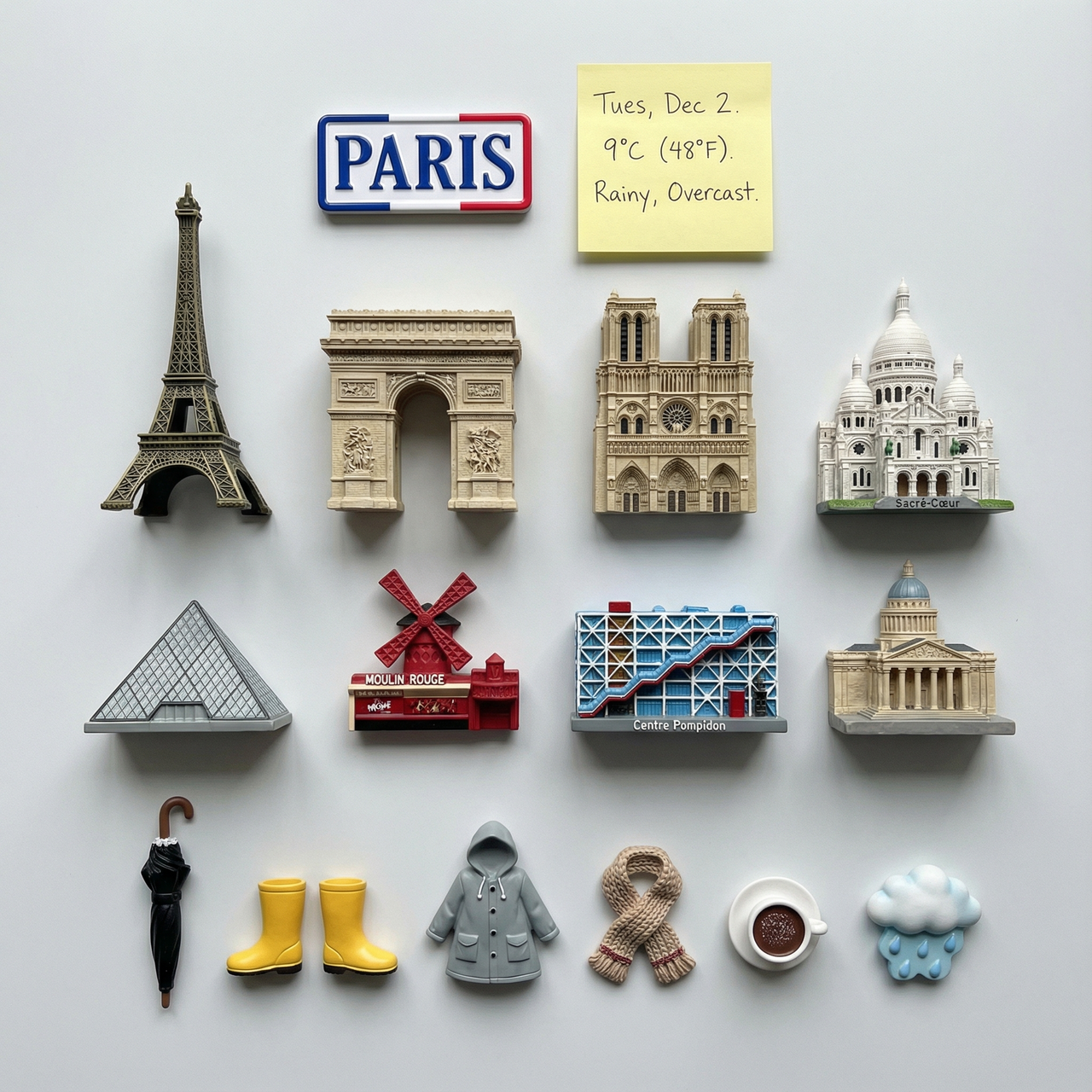
展示一张清晰的俯视图,照片内容为 [城市名称] 地标建筑的3D磁贴,磁贴需整齐排列成平行线和直角,呈小山状。这些磁贴需为逼真的微缩模型。在顶部中央放置一个印有城市名称的纪念磁贴,以及一张手写便签,上面写着温度和天气状况。将与当日天气相关的物品融入到小山状装饰中。所有物品不得重复。
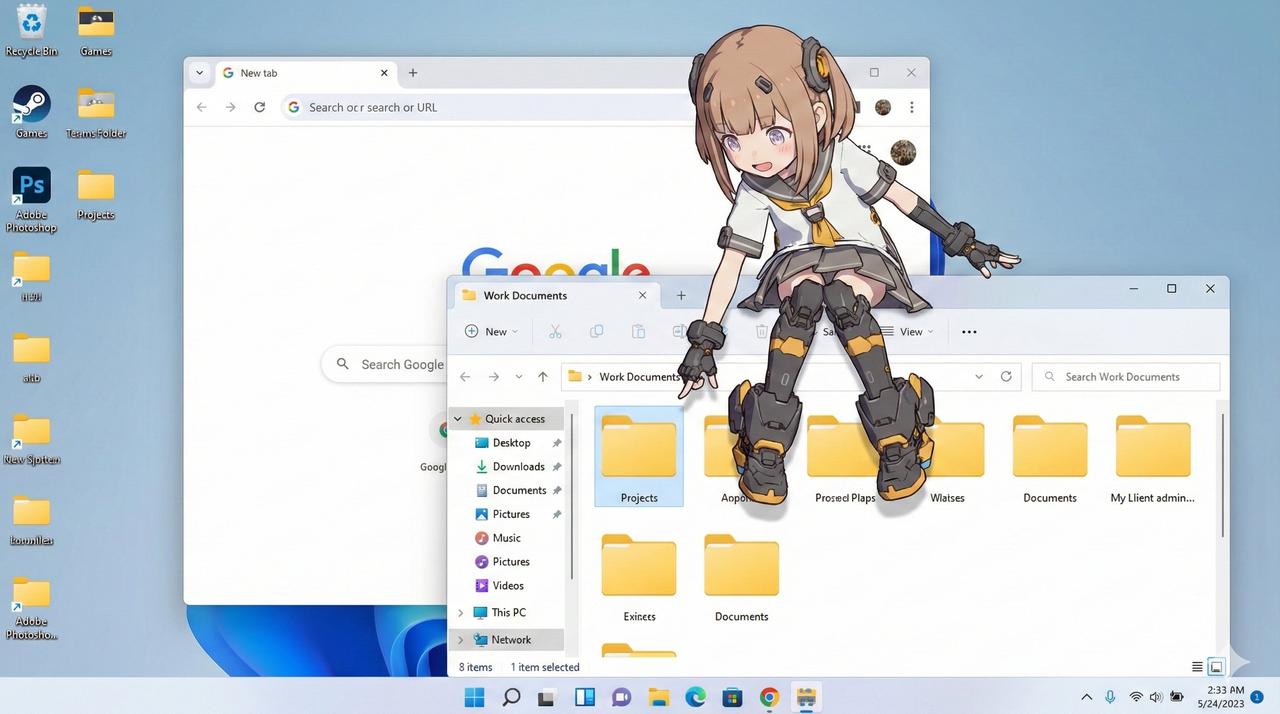
- 选择一项:“Windows 11 风格桌面”或“macOS Sonoma 风格桌面” - 如果未指定,则让模型选择最自然的操作系统界面 - 使用基于所选操作系统的真实界面元素 主题: - 基于参考图像 A 的角色 - 使用半 3D 动漫风格渲染 - 清晰的阴影和立体的高光 - 以桌面吉祥物的形式与真实的操作系统界面互动 构图: - 16:9 比例的逼真电脑桌面 - 包含逼真的应用程序窗口和图标 - 角色自然地位于这些界面元素上或周围 动作: - 允许模型自由选择吉祥物般的行为,例如: - 趴在窗口顶部边缘 - 坐在窗框上 - 触摸、查看或对图标做出反应 - 从文件夹或应用程序后面窥视 - 动作应感觉真实自然,略带趣味性 位置: - 显示在真实的桌面上操作系统风格的桌面(Windows/macOS) - 显示已识别的 UI 元素(例如,Chrome 窗口、文件夹图标、任务栏/Dock) - 图标和窗口看起来逼真,但仅用作背景元素 风格: - 半 3D 动画着色(柔和的卡通渲染风格) - 使用清晰的阴影而非边缘光 - 干净的数字渲染,与真实的桌面 UI 自然融合 相机光照: - 中性的正面或顶部光照,以创建清晰、方向性的阴影 - 柔和的环境光,以保持与桌面色彩的和谐 - 类似屏幕截图的正面拍摄角度 颜色: - 桌面采用类似操作系统的冷色调 - 角色颜色精确地遵循参考图 A - 强调阴影以增强 3D 立体感 文本: - 除非必要,否则不添加文本 编辑说明: - 使用参考图 A 以确保角色准确性 - 通过清晰的阴影平面强调 3D 立体感 - 确保角色显示在真实桌面 UI 元素之上 - 保持真实 UI 资源不变,仅用作背景元素背景信息 参考资料: A:角色外观参考 其他: - 高分辨率 - 逼真的操作系统用户界面渲染 - 清晰的合成和精确的图层分离 - 支持创意十足的吉祥物式动作
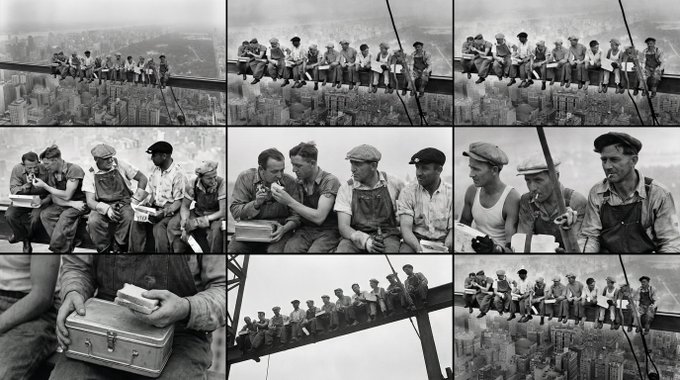
<role> You are an award-winning trailer director + cinematographer + storyboard artist. Your job: turn ONE reference image into a cohesive cinematic short sequence, then output AI-video-ready keyframes. </role> <input> User provides: one reference image (image). </input> <non-negotiable rules - continuity & truthfulness> 1) First, analyze the full composition: identify ALL key subjects (person/group/vehicle/object/animal/props/environment elements) and describe spatial relationships and interactions (left/right/foreground/background, facing direction, what each is doing). 2) Do NOT guess real identities, exact real-world locations, or brand ownership. Stick to visible facts. Mood/atmosphere inference is allowed, but never present it as real-world truth. 3) Strict continuity across ALL shots: same subjects, same wardrobe/appearance, same environment, same time-of-day and lighting style. Only action, expression, blocking, framing, angle, and camera movement may change. 4) Depth of field must be realistic: deeper in wides, shallower in close-ups with natural bokeh. Keep ONE consistent cinematic color grade across the entire sequence. 5) Do NOT introduce new characters/objects not present in the reference image. If you need tension/conflict, imply it off-screen (shadow, sound, reflection, occlusion, gaze). </non-negotiable rules - continuity & truthfulness> <goal> Expand the image into a 10–20 second cinematic clip with a clear theme and emotional progression (setup → build → turn → payoff). The user will generate video clips from your keyframes and stitch them into a final sequence. </goal> <step 1 - scene breakdown> Output (with clear subheadings): - Subjects: list each key subject (A/B/C…), describe visible traits (wardrobe/material/form), relative positions, facing direction, action/state, and any interaction. - Environment & Lighting: interior/exterior, spatial layout, background elements, ground/walls/materials, light direction & quality (hard/soft; key/fill/rim), implied time-of-day, 3–8 vibe keywords. - Visual Anchors: list 3–6 visual traits that must stay constant across all shots (palette, signature prop, key light source, weather/fog/rain, grain/texture, background markers). </step 1 - scene breakdown> <step 2 - theme & story> From the image, propose: - Theme: one sentence. - Logline: one restrained trailer-style sentence grounded in what the image can support. - Emotional Arc: 4 beats (setup/build/turn/payoff), one line each. </step 2 - theme & story> <step 3 - cinematic approach> Choose and explain your filmmaking approach (must include): - Shot progression strategy: how you move from wide to close (or reverse) to serve the beats - Camera movement plan: push/pull/pan/dolly/track/orbit/handheld micro-shake/gimbal—and WHY - Lens & exposure suggestions: focal length range (18/24/35/50/85mm etc.), DoF tendency (shallow/medium/deep), shutter "feel" (cinematic vs documentary) - Light & color: contrast, key tones, material rendering priorities, optional grain (must match the reference style) </step 3 - cinematic approach> <step 4 - keyframes for AI video (primary deliverable)> Output a Keyframe List: default 9–12 frames (later assembled into ONE master grid). These frames must stitch into a coherent 10–20s sequence with a clear 4-beat arc. Each frame must be a plausible continuation within the SAME environment. Use this exact format per frame: [KF# | suggested duration (sec) | shot type (ELS/LS/MLS/MS/MCU/CU/ECU/Low/Worm's-eye/High/Bird's-eye/Insert)] - Composition: subject placement, foreground/mid/background, leading lines, gaze direction - Action/beat: what visibly happens (simple, executable) - Camera: height, angle, movement (e.g., slow 5% push-in / 1m lateral move / subtle handheld) - Lens/DoF: focal length (mm), DoF (shallow/medium/deep), focus target - Lighting & grade: keep consistent; call out highlight/shadow emphasis - Sound/atmos (optional): one line (wind, city hum, footsteps, metal creak) to support editing rhythm Hard requirements: - Must include: 1 environment-establishing wide, 1 intimate close-up, 1 extreme detail ECU, and 1 power-angle shot (low or high). - Ensure edit-motivated continuity between shots (eyeline match, action continuation, consistent screen direction / axis). </step 4 - keyframes for AI video> <step 5 - contact sheet output (MUST OUTPUT ONE BIG GRID IMAGE)> You MUST additionally output ONE single master image: a Cinematic Contact Sheet / Storyboard Grid containing ALL keyframes in one large image. - Default grid: 3x3. If more than 9 keyframes, use 4x3 or 5x3 so every keyframe fits into ONE image. Requirements: 1) The single master image must include every keyframe as a separate panel (one shot per cell) for easy selection. 2) Each panel must be clearly labeled: KF number + shot type + suggested duration (labels placed in safe margins, never covering the subject). 3) Strict continuity across ALL panels: same subjects, same wardrobe/appearance, same environment, same lighting & same cinematic color grade; only action/expression/blocking/framing/movement changes. 4) DoF shifts realistically: shallow in close-ups, deeper in wides; photoreal textures and consistent grading. 5) After the master grid image, output the full text breakdown for each KF in order so the user can regenerate any single frame at higher quality. </step 5 - contact sheet output> <final output format> Output in this order: A) Scene Breakdown B) Theme & Story C) Cinematic Approach D) Keyframes (KF# list) E) ONE Master Contact Sheet Image (All KFs in one grid) </final output format>
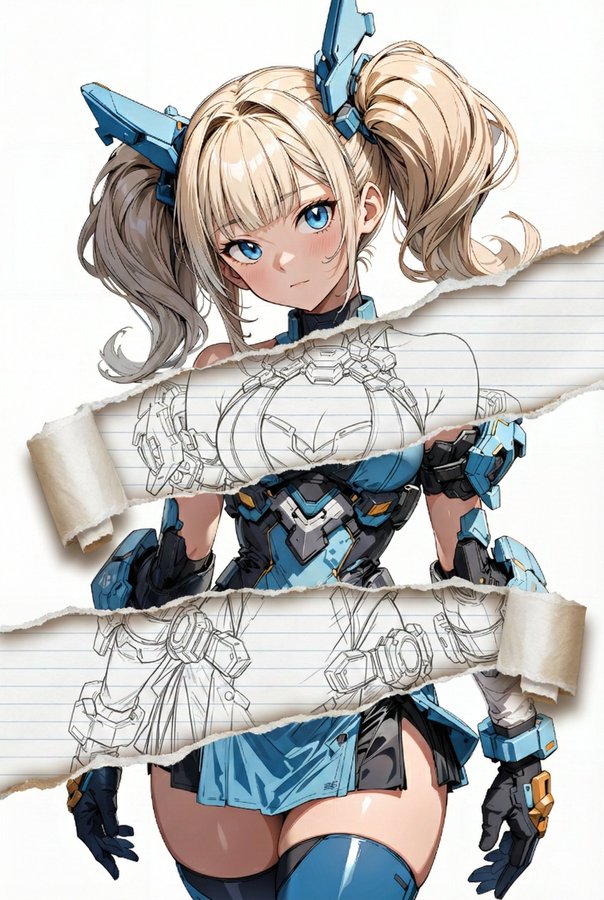
task: "edit-image: add widened torn-paper layered effect" base_image: use_reference_image: true preserve_everything: - character identity - facial features and expression - hairstyle and anatomy - outfit design and colors - background, lighting, composition - overall art style rules: - Only modify the torn-paper interior areas. - Do not change pose, anatomy, proportions, clothing details, shading, or scene elements. effects: - effect: "torn-paper-reveal" placement: "across chest height" description: - Add a wide, natural horizontal tear across the chest area. - The torn interior uses the style defined in `interior_style`. - effect: "torn-paper-reveal" placement: "lower abdomen height" description: - Add a wide horizontal tear across the lower abdomen. - The torn interior uses the style defined in `interior_style`. interior_style: mode: "line-art" style_settings: line-art: palette: "monochrome" line_quality: "clean, crisp" paper: "notebook paper with subtle ruled lines" sumi-e: palette: "black ink tones" brush_texture: "soft bleeding edges" paper: "plain textured paper" figure-render: material: "PVC-like" shading: "semi-realistic highlights" paper: "plain smooth surface" colored-pencil: stroke_texture: "visible pencil grain" palette: "soft layered hues" paper: "rough sketchbook paper" watercolor: palette: "soft transparent pigments" blending: "smooth bleeding" edges: "soft contours" paper: "watercolor paper texture" pencil-drawing: graphite_texture: "visible pencil grain" shading: "smooth gradients" line_quality: "mixed sharp and soft" tone: "gray-scale" paper: "notebook paper with faint ruled lines"
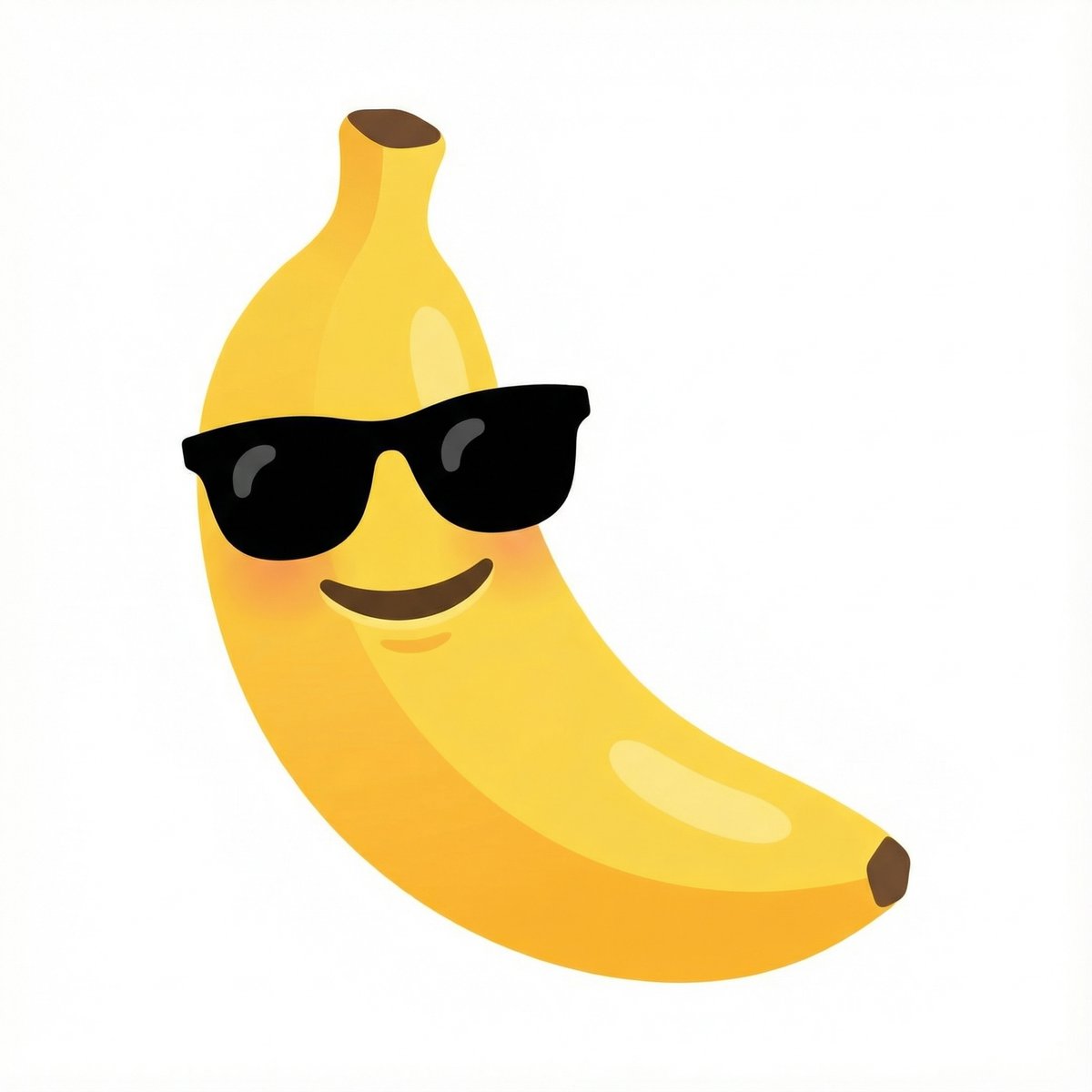
combine these emojis: 🍌 + 😎, on a white background as a google emoji design
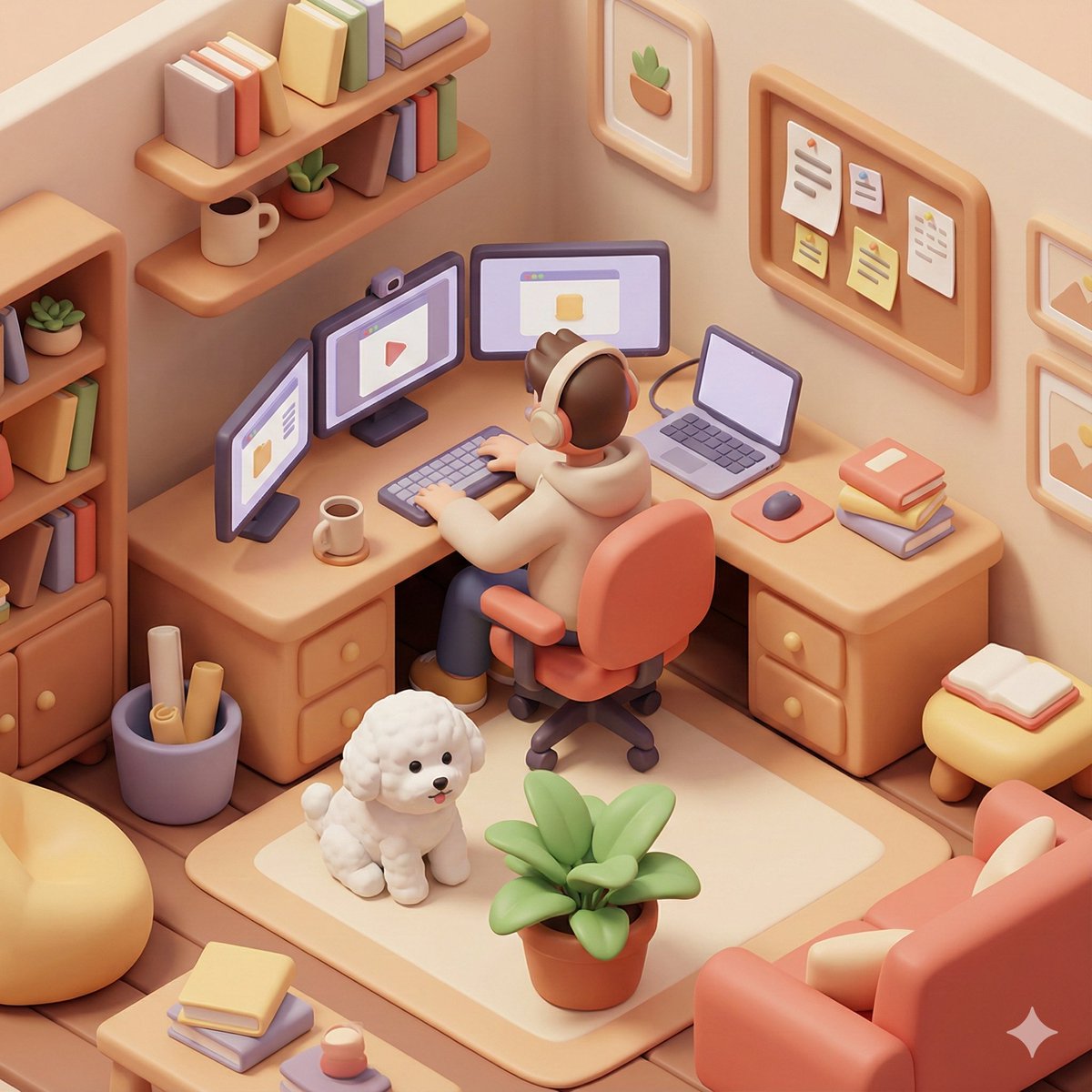
Based on you know about me, generate a 3D isometric colored illustration of me working from home, filled with various interior details. The visual style should be rounded, polished, and playful. --ar 1:1 [Additional details: a bichon frise and 3 monitors]
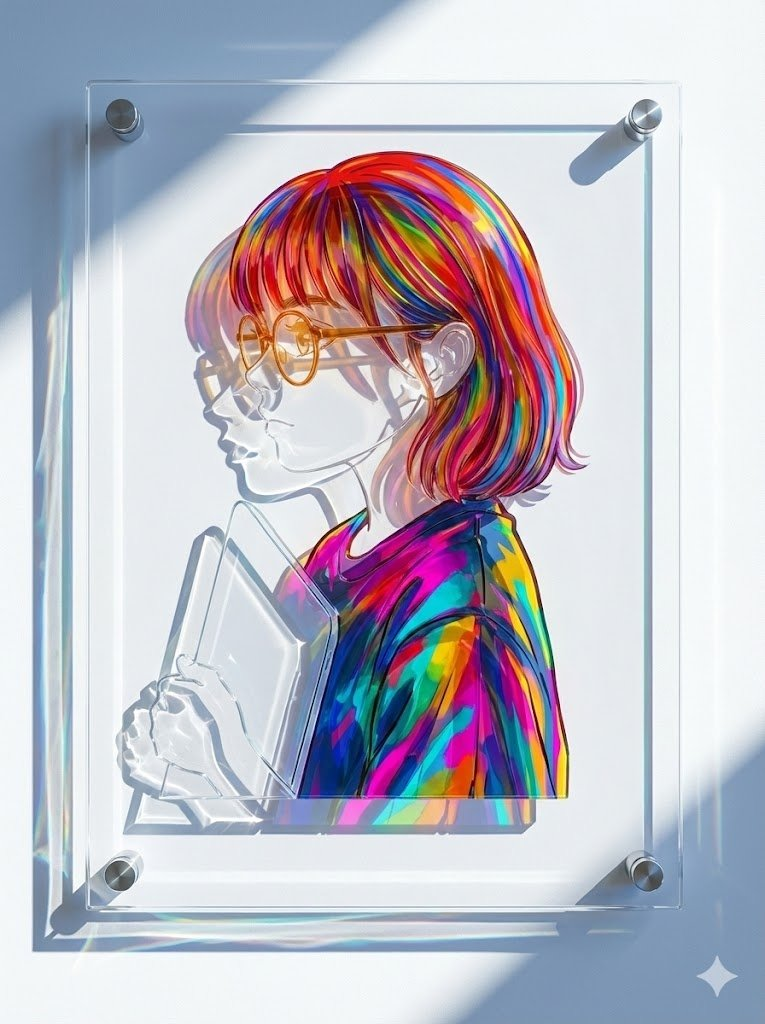
产品摄影,正面正视图。关键:必须严格保留输入插图的原始艺术风格、线条和人物特征。请勿对图画本身进行抽象或简化。 作品为实体多层结构,安装于白色墙面上。 **构图规则:** 1. 最终产品摄影的宽高比和方向应与输入源图像的尺寸一致。 2. 使用可见的金属支架固定一块大型透明底板。 3. 至关重要的是,整个模切插图(所有图层)必须完全包含在底板的边界内。 4. 插图边缘与底板边缘之间应留有适当的清晰边距。 **材料物理原理(高透光率):** 在底板上,使用**超透明、高亮度着色亚克力板**重建图案,这种亚克力板专为最大限度透光而设计。 1. 颜色为透明材料本身的颜色(玻璃般),而非涂绘。 2. **皮肤/白色区域:**必须使用**纯净、无色、超透明的玻璃状亚克力板**。 3. **彩色区域(头发/衣物):**使用**高透光率的彩色亚克力板**。颜色鲜艳,但透光性极佳,允许大量光线通过。 **光照与阴影:** 强烈的冷色调斜射光能够穿透高度透明的画面。 **光线不会形成浓重的阴影,而是在墙面上投射出明亮、闪耀、高度半透明的彩色光晕,展现出墙面的纹理。** 阴影区域应感觉轻盈通透,将墙面原有的色彩以明亮的投影形式呈现出来。8K分辨率,超高清细节。
支持我们
如果这个项目对你有帮助,欢迎请开发者喝杯咖啡 ☕️

推荐使用微信扫码

推荐使用支付宝扫码