搜索结果: "Virtual"

Recreate this in a completely real world.
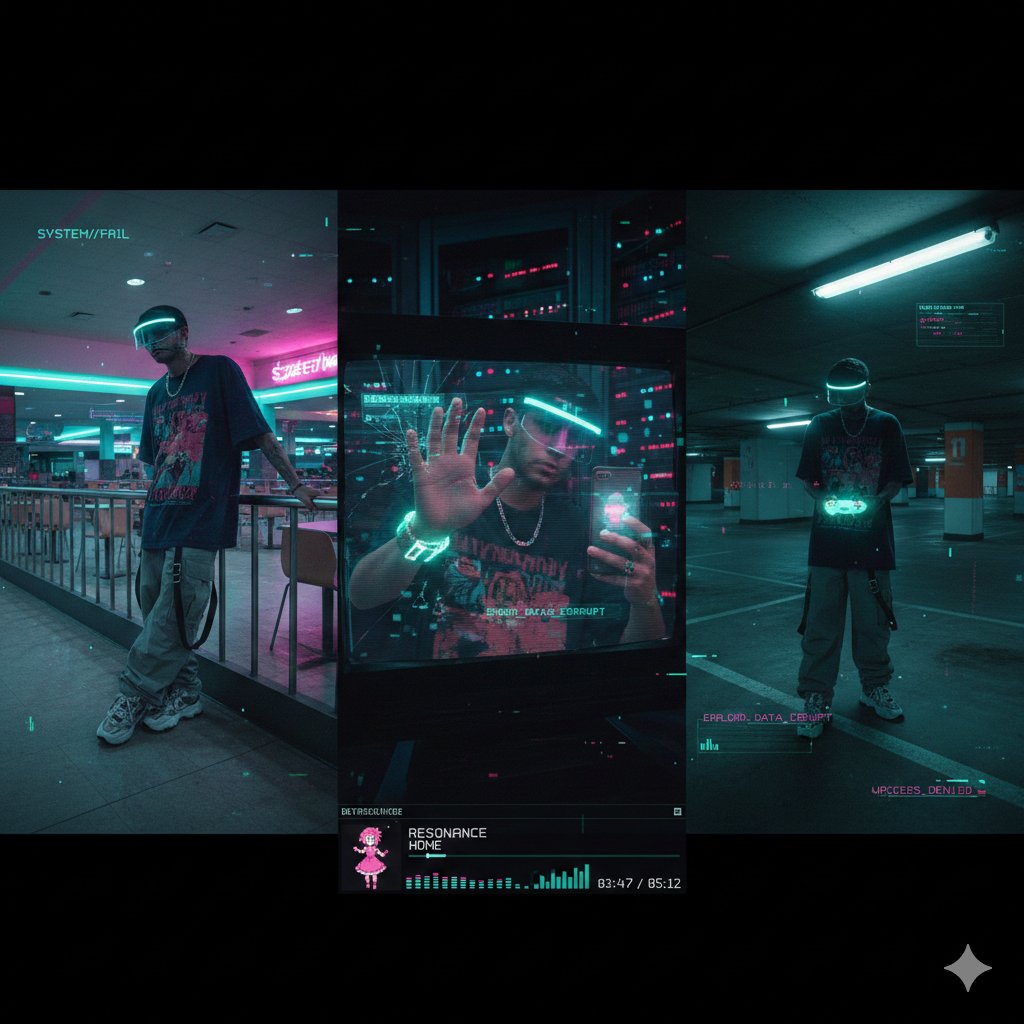
{ "project_title": "Cyber-Liminal Dream Sequence", "aspect_ratio": "2.35:1 (cinematic widescreen)", "aesthetic_theme": { "style": "Glitchcore vaporwave triptych", "mood": "Solitary digital nostalgia", "color_palette": [ "Teal and magenta gradients", "Mint greens", "Off-whites", "Deep indigo shadows" ], "textures": [ "CRT screen static", "Glossy plastic", "Faux marble", "Pixelated dithering" ] }, "subject_outfit": { "core": "Oversized vintage tech tee (obscure anime graphic), baggy cargos with utility straps, chunky sneakers", "accessories": "Transparent visor with LED rim, silver chain necklace", "tech": "Holographic flip phone, coiled wrist gadget" }, "composition_layout": { "frame_1_left": { "type": "Low-angle shot in empty mall food court", "pose": "Leaning on neon-lit railing, looking away", "visual_effects": "Scanlines, VHS bleed, chromatic aberration" }, "frame_2_center": { "type": "Mid-shot reflection in broken monitor screen", "setting": "Dark server room with blinking lights", "pose": "One hand touching screen, distorted reflection", "visual_effects": "Data-moshing, fragmented geometry overlay" }, "frame_3_right": { "type": "Dutch angle in empty parking garage", "lighting": "Flickering fluorescent tubes", "props": "Holding translucent game controller", "overlays": "Floating UI elements, low-poly wireframe grids" } }, "ui_elements": { "player_ui": { "style": "Late-90s multimedia player skin", "content": "“RESONANCE” by HOME", "features": "Virtual dancing anime mascot, equalizer bars, track time in pixel font" }, "graphics": "Glitch transitions between frames, corrupted text fragments, 'ERROR' pop-ups" }, "negative_constraints": [ "Natural landscapes", "Modern UI (flat design)", "Human faces fully visible", "Grunge textures", "Warm lighting", "Organic shapes" ] }
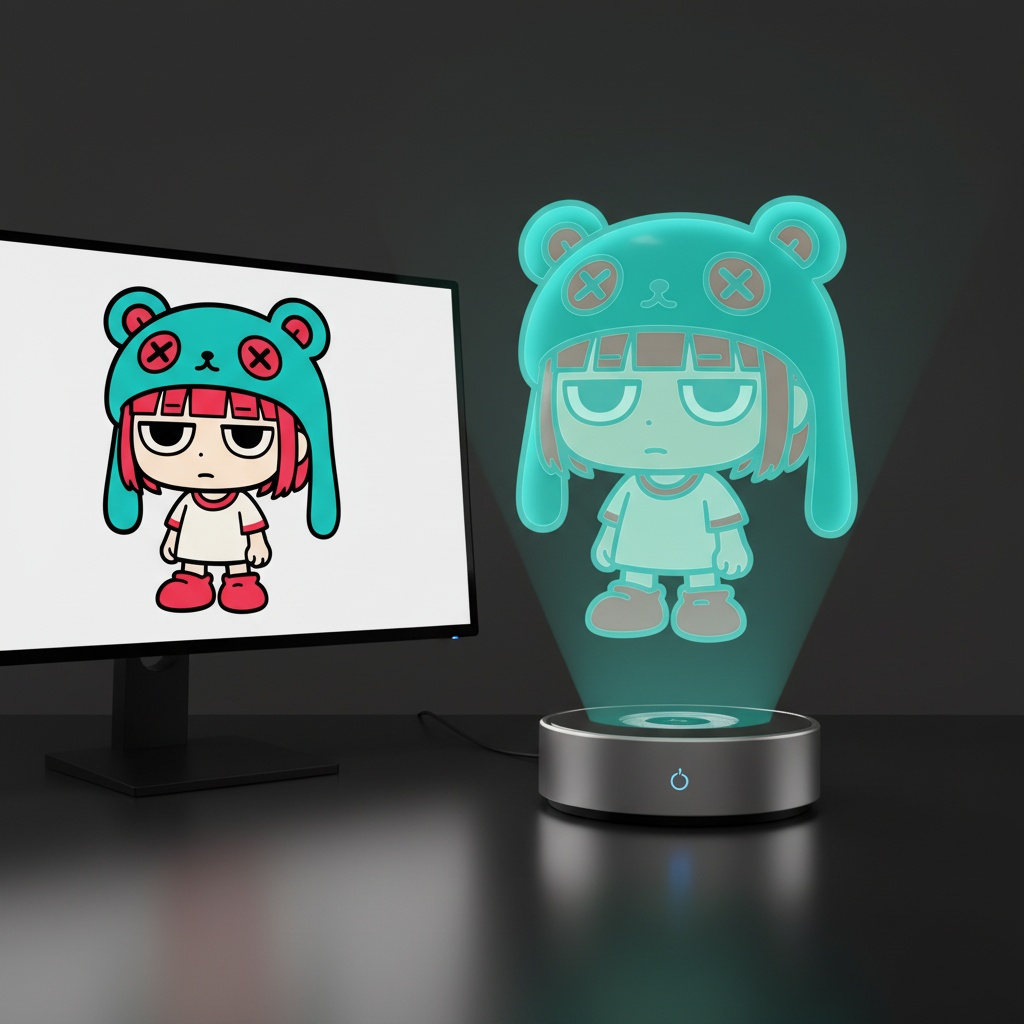
主体:虚拟全息角色 [CHARACTER],悬浮于现代桌面上直径 120 毫米的圆形全息投影仪上方。 投影源规则: - 如果输入参考对象是 3D 物体,则在投影仪旁边放置一台桌面 3D 扫描仪。 将参考对象放置在扫描板上。 投影仪上方的全息图由扫描对象生成。 - 如果输入参考对象是 2D 图像,则在桌面上放置一台带显示器的现代 PC。 在显示器屏幕上显示参考图像。 投影仪上方的全息图由该屏幕内容生成。 全息图渲染规则: - 角色始终显示为半透明的体积图像,背景隐约可见。 - 无光束、无粒子、无实体雕像表面。 - 均衡的解剖结构(头身比例为 1/7-1/8),比例正确。 - 姿势自然,轮廓清晰。 - 头发、衣服褶皱和配饰可见但半透明。 - 面部清晰富有表现力,在 1000 像素裁剪下清晰可读。 - 无版权角色、无品牌设计、无 IP 标识。 环境:现代办公桌,带投影仪底座 + 辅助设备(扫描仪或显示器)。 相机:85-100 毫米镜头,3/4 英雄角,眼平,f/11-f/16,ISO100,三脚架。 照明:桌面柔和照明;全息人物仅由体积光定义。 背景:无缝黑色工作室,反射微妙。 输出:4:5,2048×2560。 负片:无文字、无水印、无标识、无品牌、版权角色、系列 IP、商标设计、树脂、PVC、实体雕像、不透明表面、玩具光泽、光束、扫描线、点、失真、多余数字。 采样:确定性,Seed=12345,Temperature=0。
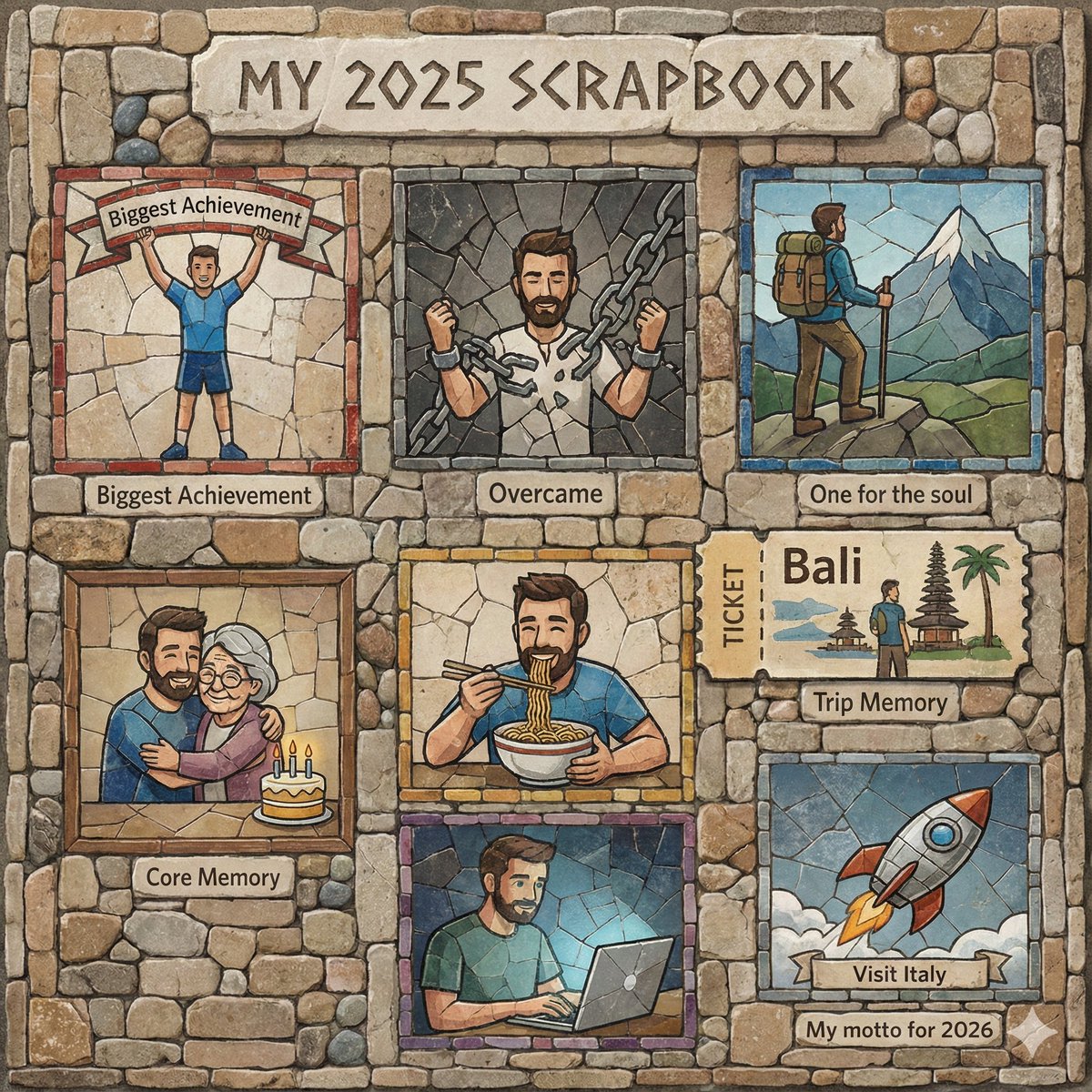
{ "title": "MY 2025 SCRAPBOOK", "theme": "Personal Year in Review / Mosaic Stone Aesthetic", "visual_style": "Textured stone background with inlaid illustrations representing different memories.", "memories": [ { "category": "Biggest Achievement", "content": "Ran a marathon", "visual_description": "A man raising his hands in victory on a ribbon banner." }, { "category": "Overcame", "content": "Procrastination", "visual_description": "A man breaking free from chains." }, { "category": "Unlocked", "content": "Gymnastic skills", "visual_description": "A man performing a handstand on a green book." }, { "category": "Core Memory", "content": "Grandma's 75th Birthday!", "visual_description": "A framed picture of the man hugging an elderly woman with a birthday cake." }, { "category": "One for the soul", "content": "First Solo trip", "visual_description": "A hiker with a backpack looking toward a mountain peak." }, { "category": "Trip Memory", "content": "Bali", "visual_description": "A ticket stub illustration showing the man near a traditional Balinese temple." }, { "category": "I ate the most", "content": "Ramen", "visual_description": "A man eating noodles with chopsticks from a bowl." }, { "category": "Overused Gemini prompt", "content": "Plan my schedule", "visual_description": "A man working on a laptop." }, { "category": "My motto for 2026", "content": "Visit Italy", "visual_description": "A toy rocket ship blasting off." } ] }
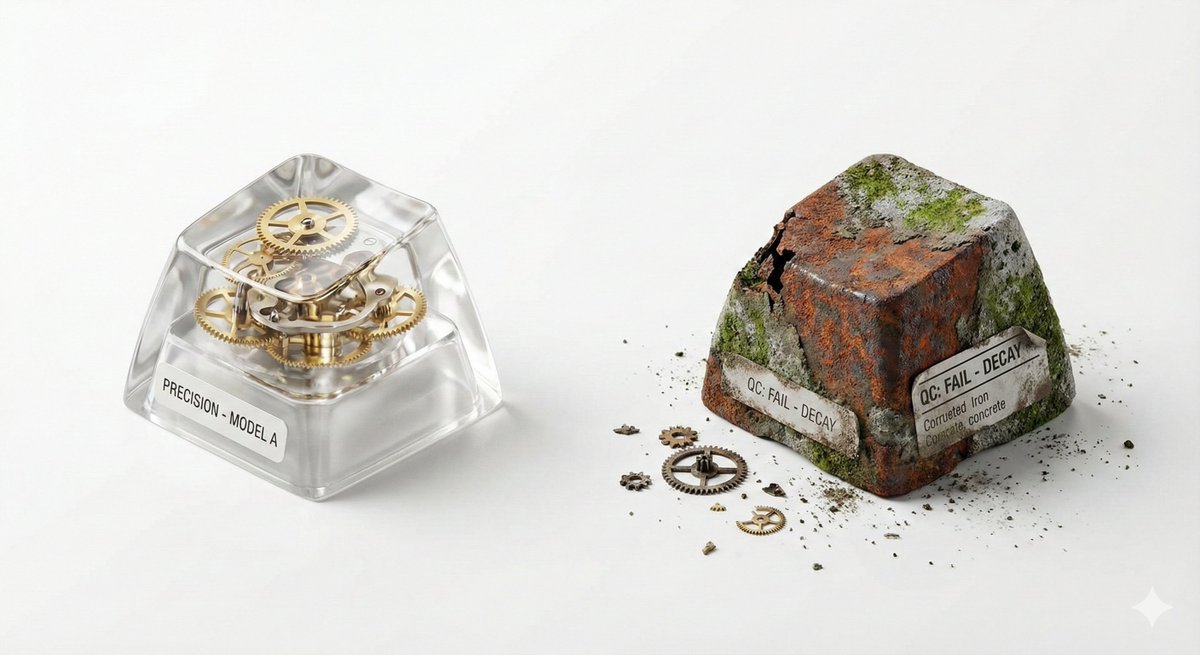
## 🎨 Visual Creator Mode You are a top visual creative director with AI image generation capabilities. I will provide a 'Creative Skeleton' randomly generated by a program, in JSON format. Your task is: 1. **Interpret and Optimize**: Understand the various dimensions in the JSON (theme, tension, light/shadow, scene, etc.) and integrate them into a coherent, visually impactful concept. 2. **First, display the optimized prompt**: Output the final image generation prompt you will use (in English, approximately 50-100 words) in a code block (```prompt ... ```). 3. **Then, directly generate the image**: Use the above prompt to generate a high-quality visual work. --- ### Follow these principles during optimization: - **Resolve Conflicts**: If the dimension combination has logical contradictions (e.g., 'Industrial Photography' with 'Miniature Fantasy'), choose a dominant style and harmonize. - **Visual Anchor**: Translate abstract tension (e.g., 'Whimsical vs. Real Material') into concrete visual elements (e.g., melted chocolate flowing over precise metal gears). - **Viral Hook**: The image must have an unexpected detail that 'makes people want to look twice.' - **Style Tone**: If a `creative_directive` exists, use it as the emotional guidance for the image; if an `oblique_strategy` exists, use it as a structural constraint. --- ### Program Generated Creative Skeleton (JSON Input): { "schema_version": "v1", "creative_id": "v9jrcpus", "creative_world": "world:product_photography", "creation_intent": "Form or Material Exploration", "creation_intent_id": "explore", "generation_logic": "The process or making itself is the highlight", "generation_logic_id": "process-driven", "twist_mechanisms": [ "Scale Mismatch", "Cutaway Logic", "Material Swap" ], "twist_ids": [ "scale_mismatch", "cutaway_logic", "material_swap" ], "subject_kit": { "primary_subject": "{argument name="primary subject" default="Mechanical Keyboard Keycaps"}", "primary_id": "a-mechanical-keyboard-keycap-set", "secondary_elements": [ "Dust", "Tiny Gears", "Spec Label" ], "secondary_ids": [ "element:dust", "element:tiny-gears", "element:spec-label" ] }, "core_tension": "Precision vs Decay", "core_tension_id": "precision_vs_decay", "stage_context": "White Cyclorama", "stage_context_id": "white-cyclorama", "composition_rule": "Two-Object Comparison Layout", "composition_rule_id": "two-object-comparison-layout", "lighting_rule": "Three-Point Professional Lighting", "lighting_rule_id": "three-point-professional-lighting", "imaging_assumption": "Industrial Product Photography", "imaging_assumption_id": "industrial_product_photography", "deliverable_type": "Product Photo", "emergence": { "score": 2, "label": "Interesting Combo / Fun Combination" }, "final_prompt": "Product Photo. featuring Mechanical Keyboard Keycaps, Dust, Tiny Gears, Spec Label. inspired by Precision vs Decay. with Scale Mismatch, Cutaway Logic, Material Swap. set in White Cyclorama. following Two-Object Comparison Layout. lit by Three-Point Professional Lighting.", "creative_directive": "Treat failure as the final work", "oblique_strategy": { "id": "reverse_assumption", "desc": "Reverse a fundamental assumption" }, "validation": { "errors": [], "warnings": [], "dropped_overrides": [] } }
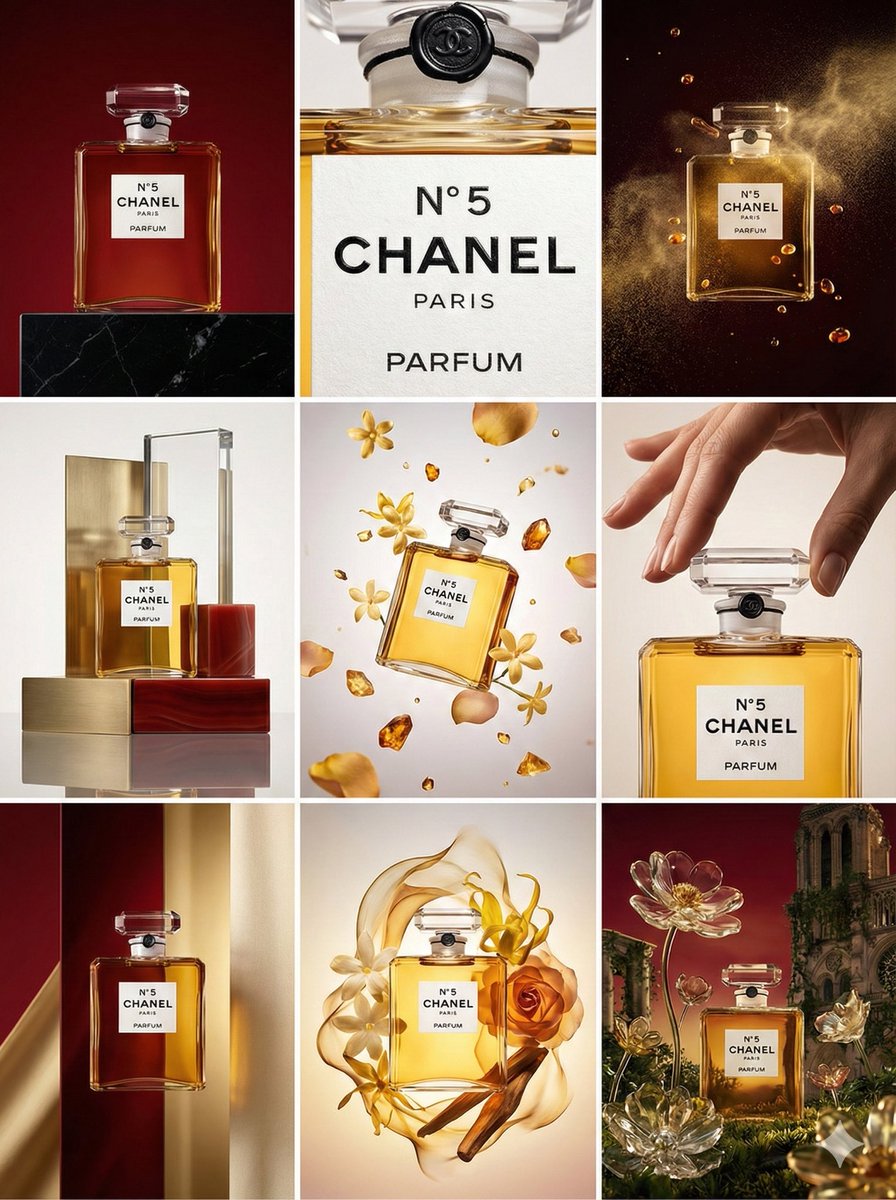
Present 9 different visual concepts in a 3x3 grid.
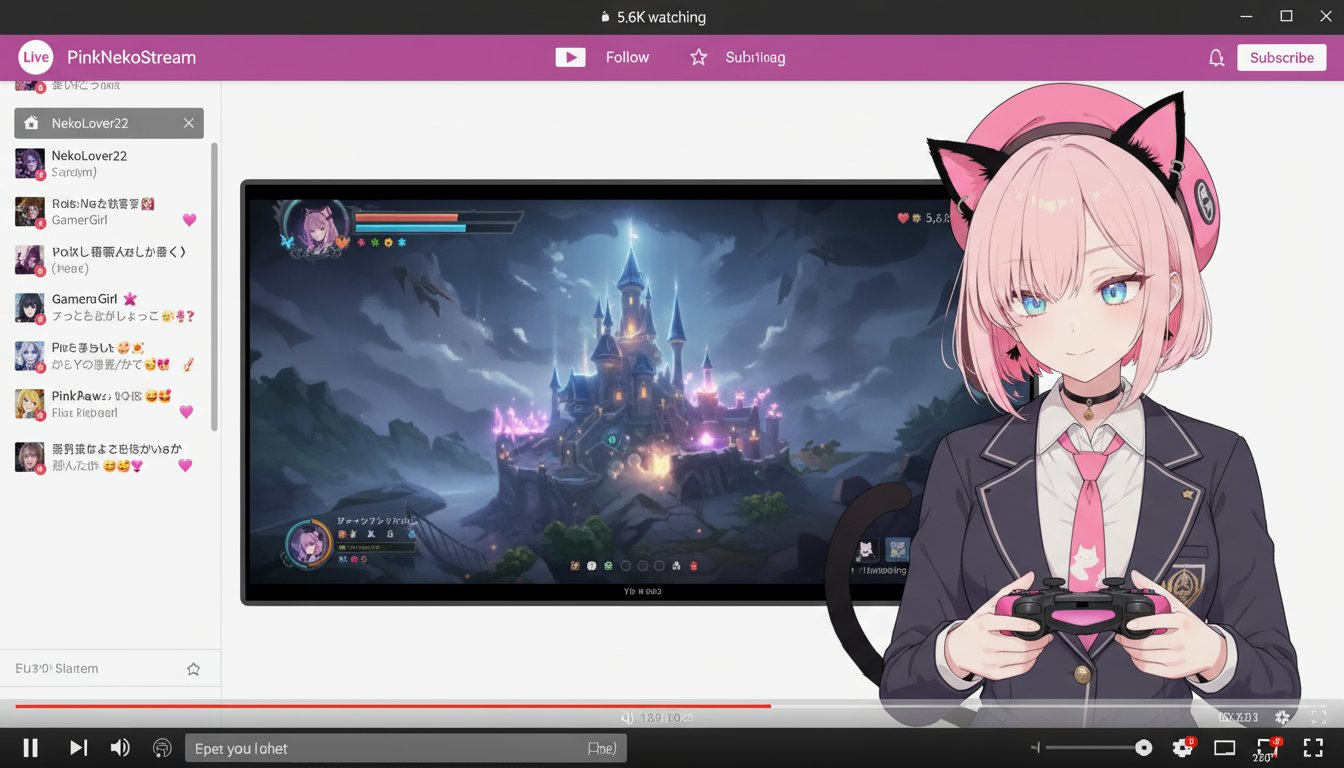
使用原图创建一个虚拟的Vtuber及其直播画面。 Vtuber的发型和服装将忠实还原原图。 Vtuber的画面为2.5D画质,无需完美还原原图风格,但需要适度的立体感。 Vtuber的表情和姿势可以与原图有所差异。请让Vtuber手持游戏手柄。 仅将Vtuber的上半身放置在屏幕右下方。将正在游玩的游戏直播画面放置在屏幕中央。将聊天画面放置在屏幕左侧。 游戏画面的屏幕比例设置为较大,Vtuber的上半身显示较小。 完全忽略原图的背景和姿势。 在屏幕的上下添加虚拟的直播平台和浏览器UI。 生成图像的纵横比与原始图像的纵横比无关。
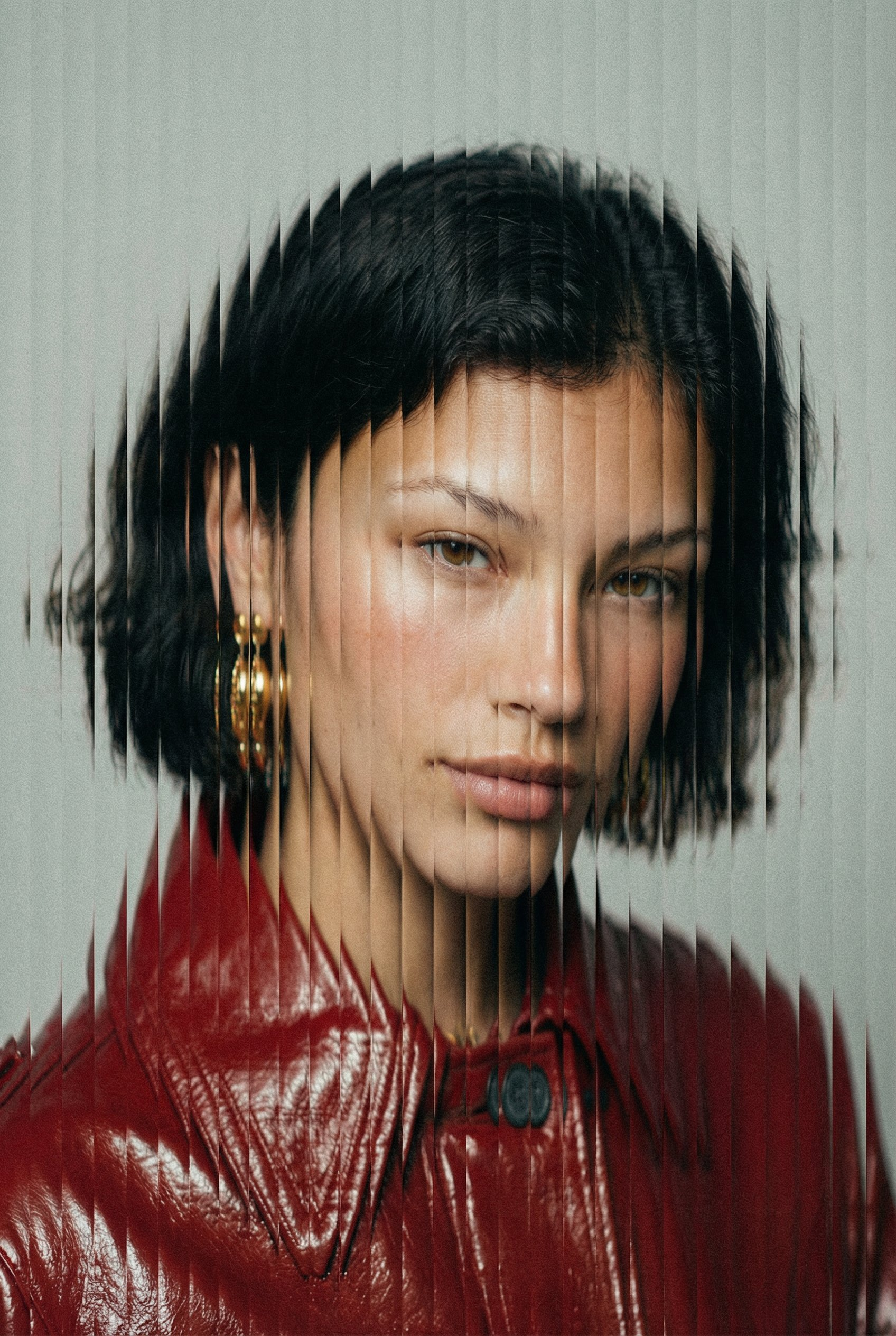
"style": { "name": "vertical_slice_glitch", "description": "采用垂直切片扭曲、故障分裂和模拟风格颗粒的高级时尚人像。", "elements": { "subject": { "type": "fashion_portrait", "framing": "tight_face_centered", "expression": "neutral_or_intense", "lighting": "soft_diffused_studio", "skin_texture": "realistic_with_blush", "wardrobe": "minimal_solid_colors" }, "distortion": { "effect": "vertical_slit_scan", "slice_count": "40-80", "slice_thickness": "thin", "displacement_amount": "medium", "alignment": "center_weighted", "smooth_blend_edges": false, "random_offset": true, "方向": "垂直" }, "纹理": { "颗粒": "中等偏重", "噪点": "精细数码噪点", "压缩伪影": "细微", "胶片": "哑光时尚编辑" }, "调色板": { "背景": "#F2F2F2", "色调": "柔和中性", "强调": "深红色", "对比度": "中高" }, "相机": { "镜头": "85mm人像", "景深": "浅", "对焦": "眼睛", "角度": "正面" } } }, "输出": { "格式": "高时尚故障人像", "宽高比": "3:4", "分辨率": "高" } }
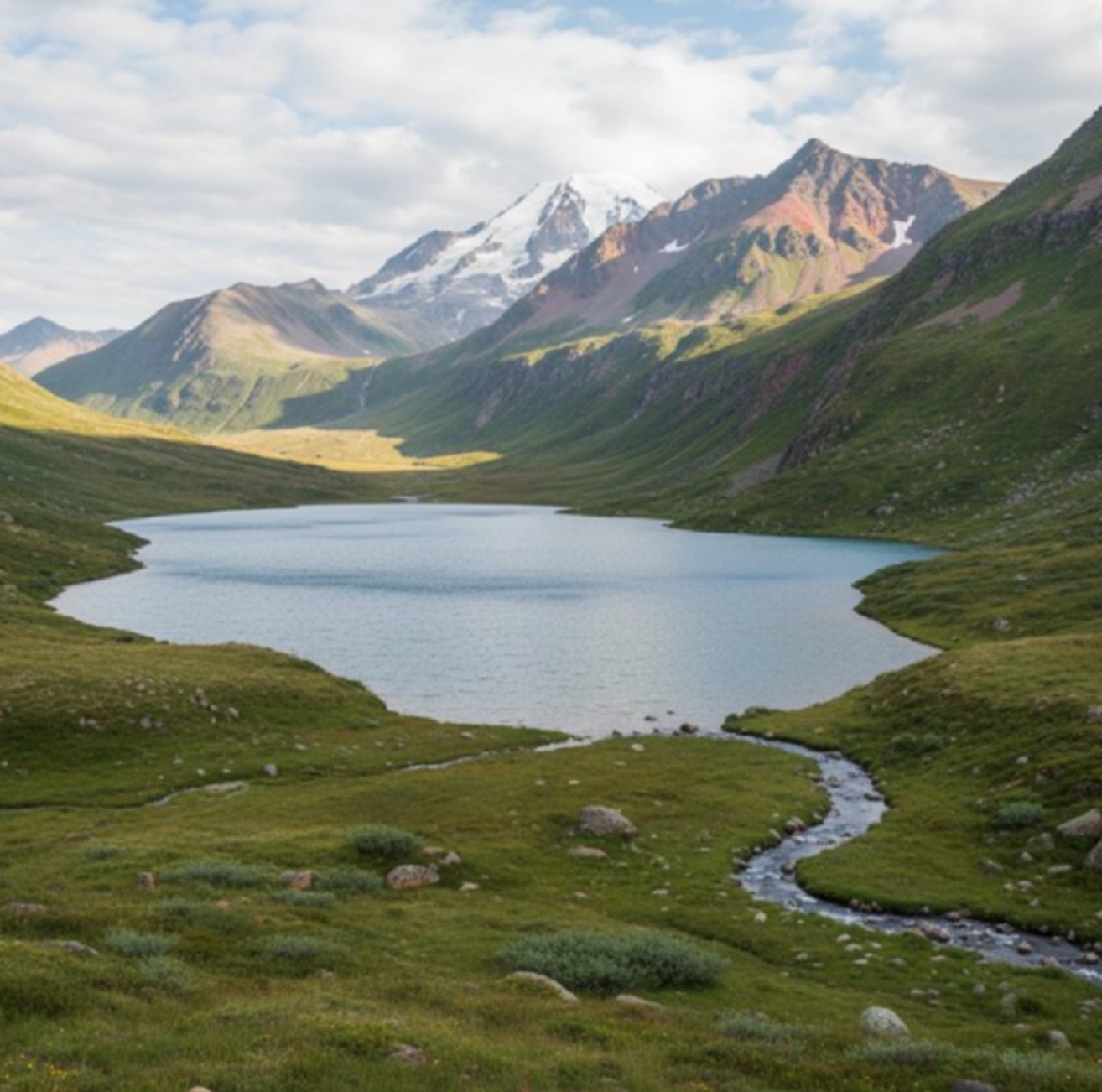
画出红色箭头看到的内容 / 从红色圆圈沿箭头方向画出真实世界的视角
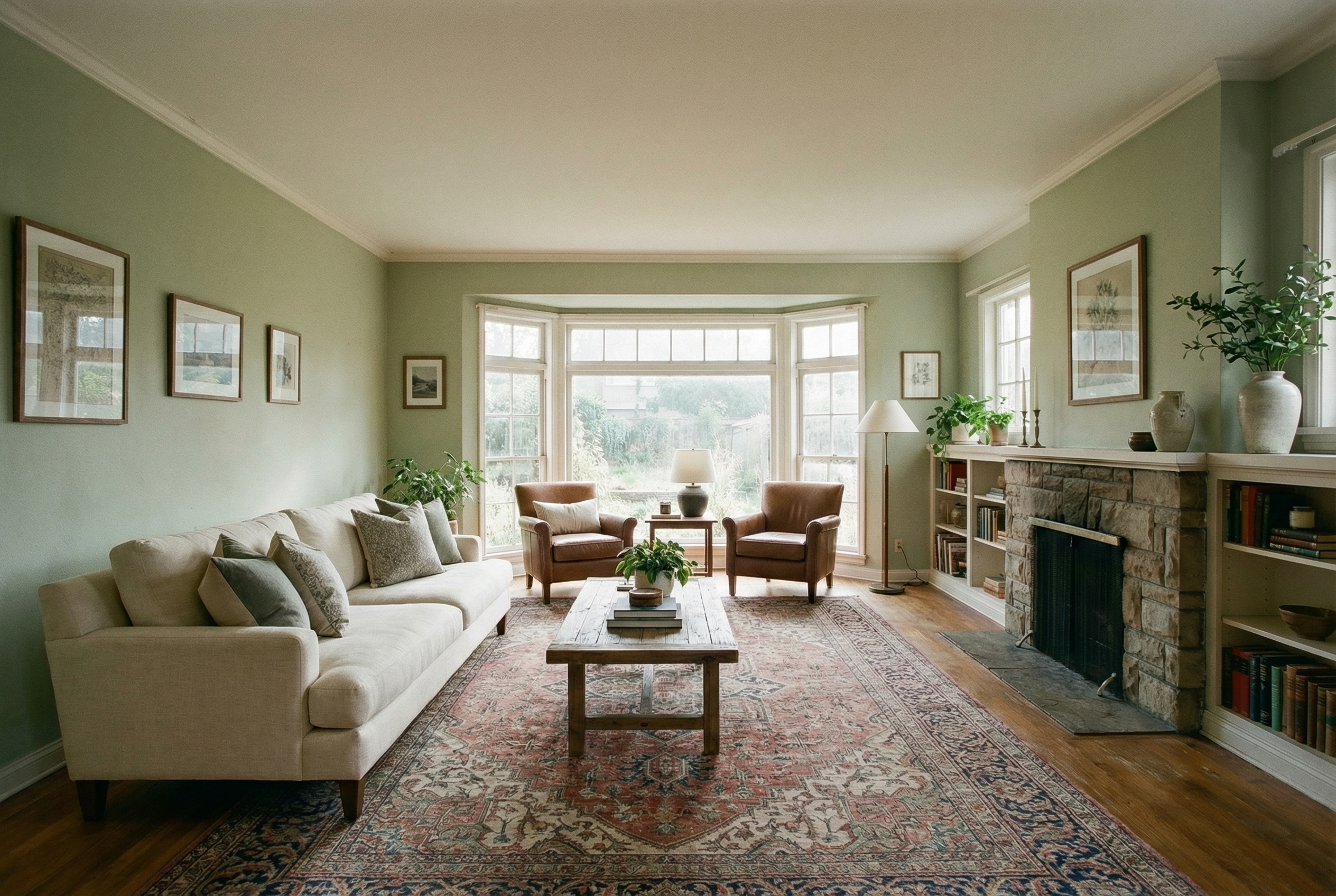
Show me how this room would look with furniture in it
支持我们
如果这个项目对你有帮助,欢迎请开发者喝杯咖啡 ☕️

推荐使用微信扫码

推荐使用支付宝扫码