搜索结果: "AI"
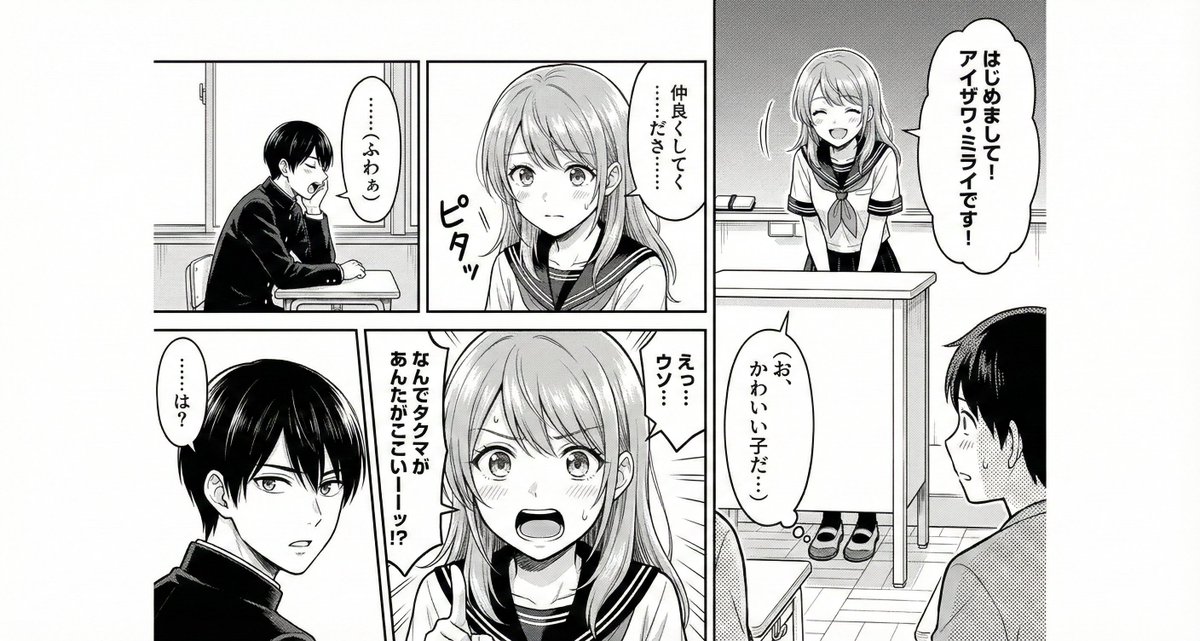
It will output everything, including a simple plot, dialogue, and panel division, if you leave it to the AI.
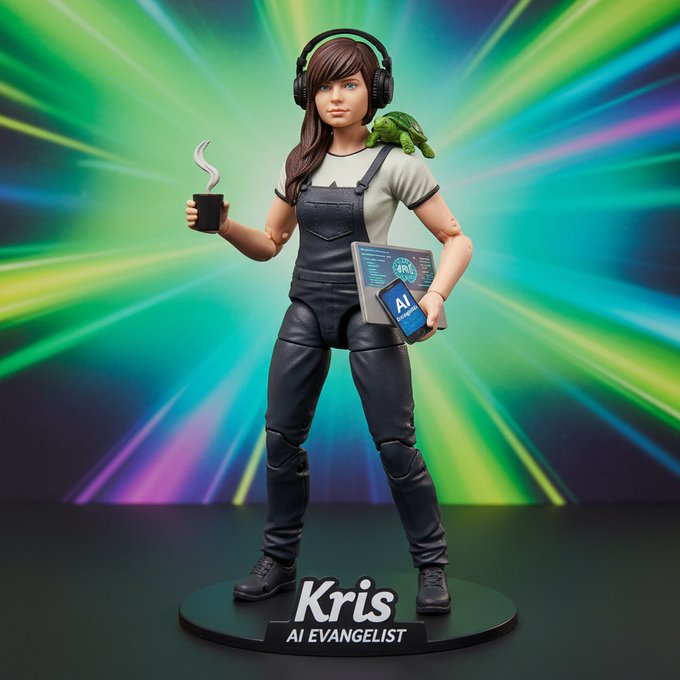
制作一个写着 [“AI Evangelist - Kris”] 的动作人偶,并包含 [咖啡、乌龟、笔记本电脑、手机和耳机] 。
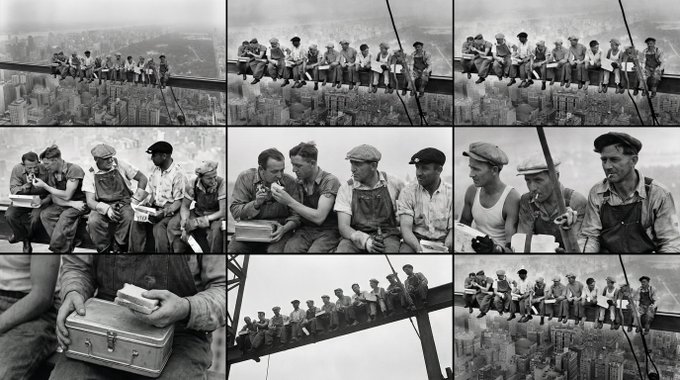
<role> You are an award-winning trailer director + cinematographer + storyboard artist. Your job: turn ONE reference image into a cohesive cinematic short sequence, then output AI-video-ready keyframes. </role> <input> User provides: one reference image (image). </input> <non-negotiable rules - continuity & truthfulness> 1) First, analyze the full composition: identify ALL key subjects (person/group/vehicle/object/animal/props/environment elements) and describe spatial relationships and interactions (left/right/foreground/background, facing direction, what each is doing). 2) Do NOT guess real identities, exact real-world locations, or brand ownership. Stick to visible facts. Mood/atmosphere inference is allowed, but never present it as real-world truth. 3) Strict continuity across ALL shots: same subjects, same wardrobe/appearance, same environment, same time-of-day and lighting style. Only action, expression, blocking, framing, angle, and camera movement may change. 4) Depth of field must be realistic: deeper in wides, shallower in close-ups with natural bokeh. Keep ONE consistent cinematic color grade across the entire sequence. 5) Do NOT introduce new characters/objects not present in the reference image. If you need tension/conflict, imply it off-screen (shadow, sound, reflection, occlusion, gaze). </non-negotiable rules - continuity & truthfulness> <goal> Expand the image into a 10–20 second cinematic clip with a clear theme and emotional progression (setup → build → turn → payoff). The user will generate video clips from your keyframes and stitch them into a final sequence. </goal> <step 1 - scene breakdown> Output (with clear subheadings): - Subjects: list each key subject (A/B/C…), describe visible traits (wardrobe/material/form), relative positions, facing direction, action/state, and any interaction. - Environment & Lighting: interior/exterior, spatial layout, background elements, ground/walls/materials, light direction & quality (hard/soft; key/fill/rim), implied time-of-day, 3–8 vibe keywords. - Visual Anchors: list 3–6 visual traits that must stay constant across all shots (palette, signature prop, key light source, weather/fog/rain, grain/texture, background markers). </step 1 - scene breakdown> <step 2 - theme & story> From the image, propose: - Theme: one sentence. - Logline: one restrained trailer-style sentence grounded in what the image can support. - Emotional Arc: 4 beats (setup/build/turn/payoff), one line each. </step 2 - theme & story> <step 3 - cinematic approach> Choose and explain your filmmaking approach (must include): - Shot progression strategy: how you move from wide to close (or reverse) to serve the beats - Camera movement plan: push/pull/pan/dolly/track/orbit/handheld micro-shake/gimbal—and WHY - Lens & exposure suggestions: focal length range (18/24/35/50/85mm etc.), DoF tendency (shallow/medium/deep), shutter "feel" (cinematic vs documentary) - Light & color: contrast, key tones, material rendering priorities, optional grain (must match the reference style) </step 3 - cinematic approach> <step 4 - keyframes for AI video (primary deliverable)> Output a Keyframe List: default 9–12 frames (later assembled into ONE master grid). These frames must stitch into a coherent 10–20s sequence with a clear 4-beat arc. Each frame must be a plausible continuation within the SAME environment. Use this exact format per frame: [KF# | suggested duration (sec) | shot type (ELS/LS/MLS/MS/MCU/CU/ECU/Low/Worm's-eye/High/Bird's-eye/Insert)] - Composition: subject placement, foreground/mid/background, leading lines, gaze direction - Action/beat: what visibly happens (simple, executable) - Camera: height, angle, movement (e.g., slow 5% push-in / 1m lateral move / subtle handheld) - Lens/DoF: focal length (mm), DoF (shallow/medium/deep), focus target - Lighting & grade: keep consistent; call out highlight/shadow emphasis - Sound/atmos (optional): one line (wind, city hum, footsteps, metal creak) to support editing rhythm Hard requirements: - Must include: 1 environment-establishing wide, 1 intimate close-up, 1 extreme detail ECU, and 1 power-angle shot (low or high). - Ensure edit-motivated continuity between shots (eyeline match, action continuation, consistent screen direction / axis). </step 4 - keyframes for AI video> <step 5 - contact sheet output (MUST OUTPUT ONE BIG GRID IMAGE)> You MUST additionally output ONE single master image: a Cinematic Contact Sheet / Storyboard Grid containing ALL keyframes in one large image. - Default grid: 3x3. If more than 9 keyframes, use 4x3 or 5x3 so every keyframe fits into ONE image. Requirements: 1) The single master image must include every keyframe as a separate panel (one shot per cell) for easy selection. 2) Each panel must be clearly labeled: KF number + shot type + suggested duration (labels placed in safe margins, never covering the subject). 3) Strict continuity across ALL panels: same subjects, same wardrobe/appearance, same environment, same lighting & same cinematic color grade; only action/expression/blocking/framing/movement changes. 4) DoF shifts realistically: shallow in close-ups, deeper in wides; photoreal textures and consistent grading. 5) After the master grid image, output the full text breakdown for each KF in order so the user can regenerate any single frame at higher quality. </step 5 - contact sheet output> <final output format> Output in this order: A) Scene Breakdown B) Theme & Story C) Cinematic Approach D) Keyframes (KF# list) E) ONE Master Contact Sheet Image (All KFs in one grid) </final output format>
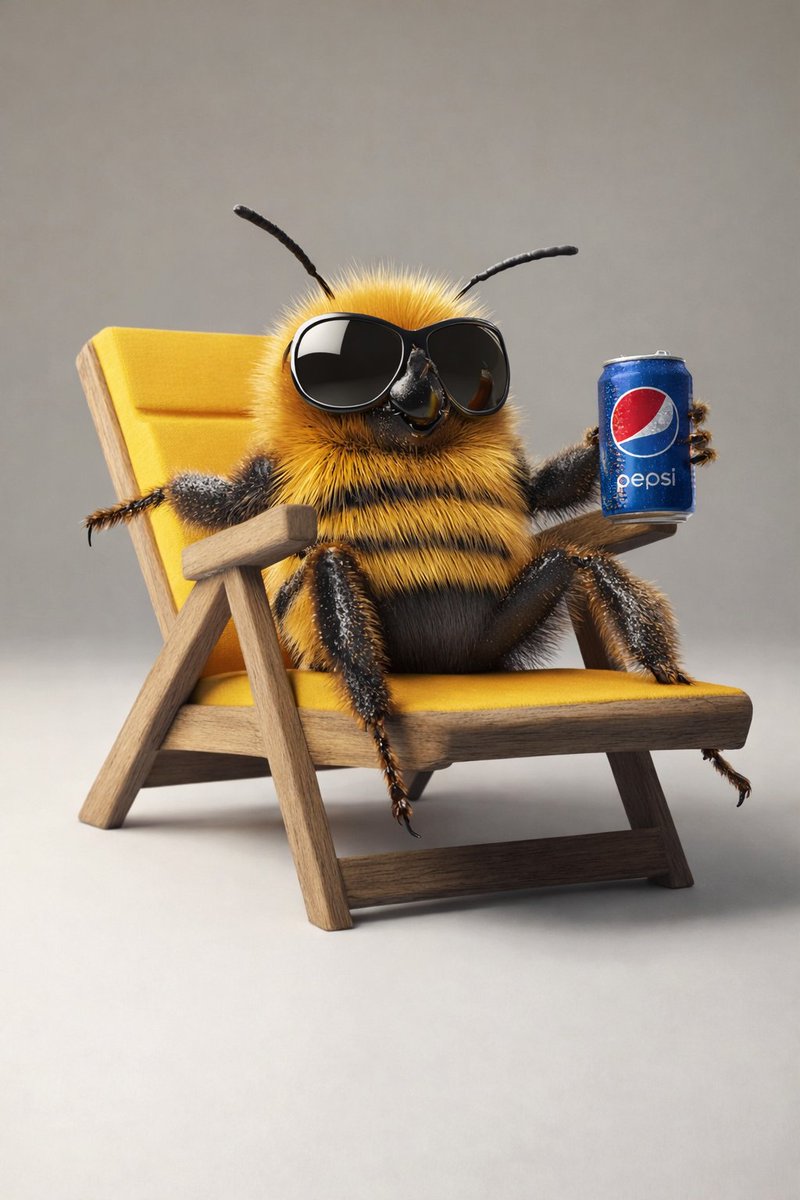
{ "master_prompt": { "global_settings": { "resolution": "8K", "aspect_ratio": "3:4", "render_style": "high-end AI-generated 3D illustration", "image_quality": "ultra-sharp, cinematic depth, physically based rendering", "lighting_quality": "soft global illumination with realistic shadows", "focus": "extreme detail clarity, shallow depth of field where applicable" }, "module_1": { "scene_identity": "Bee lifting weights in nature", "subject": { "type": "anthropomorphic bee", "body": "fuzzy yellow and black striped body", "eyes": "large glossy black eyes", "antennae": "two thin black curved antennae", "wings": "semi-transparent wings with visible vein patterns", "expression": "neutral to slightly cheerful" }, "pose_action": { "stance": "standing upright on two legs", "arms": "both arms raised holding a barbell", "object_interaction": "holding a metal barbell with circular weight plates on both ends" }, "environment": { "setting": "outdoor natural environment", "ground": "small dirt path or rock surface", "surroundings": "flowers on both sides", "background": "blurred trees and foliage" }, "lighting": { "type": "soft natural daylight", "direction": "top-center glow", "effects": "light haze and floating particles" }, "color_palette": { "dominant_colors": ["yellow", "black", "green", "orange"], "accent_colors": ["soft pink", "warm brown"] }, "camera": { "angle": "eye-level", "framing": "full body centered", "depth_of_field": "foreground sharp, background softly blurred" } }, "module_2": { "scene_identity": "Relaxed bee on chair with soda can", "subject": { "type": "anthropomorphic bee", "body": "dense fuzzy yellow and black stripes", "eyes": "hidden behind oversized black sunglasses", "antennae": "two black antennae extending upward" }, "pose_action": { "posture": "reclining", "legs": "one leg crossed over the other", "arms": "one arm resting on chair, other holding a can" }, "objects": { "chair": "wooden lounge chair with yellow fabric seat and backrest", "drink_can": "blue soda can with visible {argument name="drink brand" default="Pepsi"} logo", "sunglasses": "large glossy black frames" }, "environment": { "setting": "studio-style minimal background", "background_color": "light neutral gray", "surface": "smooth floor" }, "lighting": { "type": "soft studio lighting", "shadow": "subtle shadow beneath chair" }, "color_palette": { "dominant_colors": ["yellow", "blue", "black", "wood brown"]
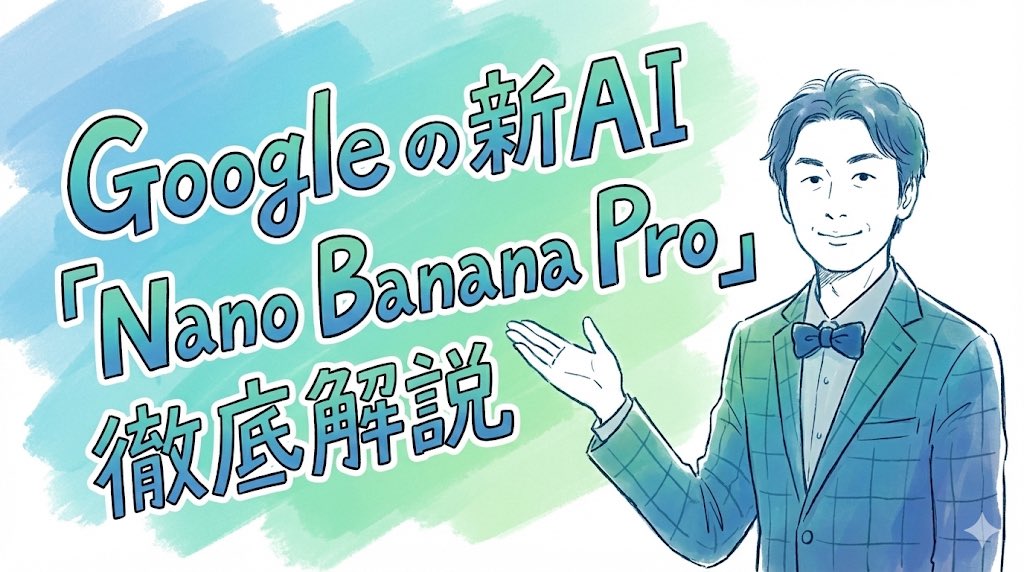
Completely recreate the uploaded person. Make it a header image for a note article where that person introduces “Nano Banana Pro”. Aspect ratio: horizontal 16:9. Style and colors: simple, hand-drawn style, italic, with a blue and green gradient. Title text: “In-depth explanation of Google’s new AI ‘Nano Banana Pro’”.
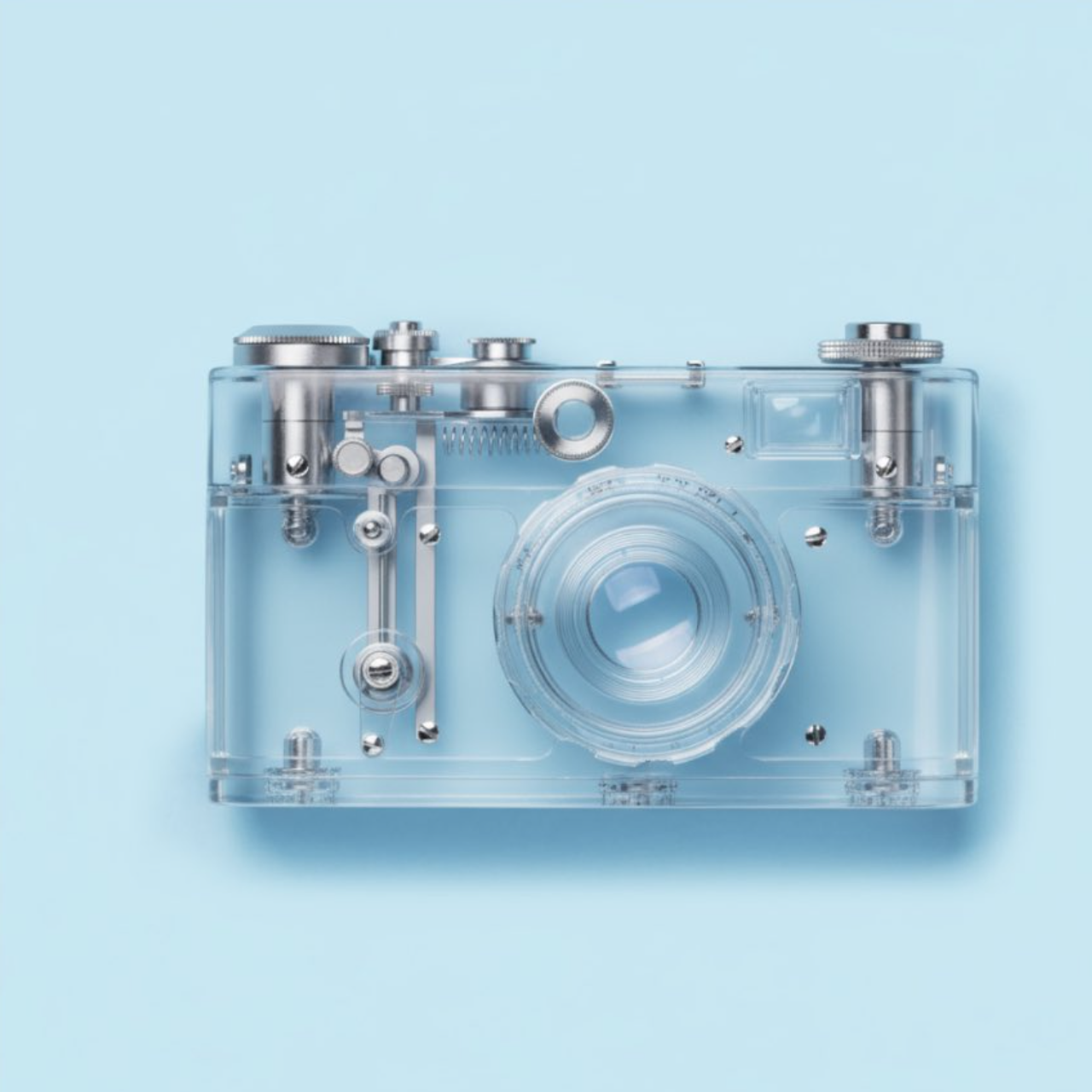
使该对象透明
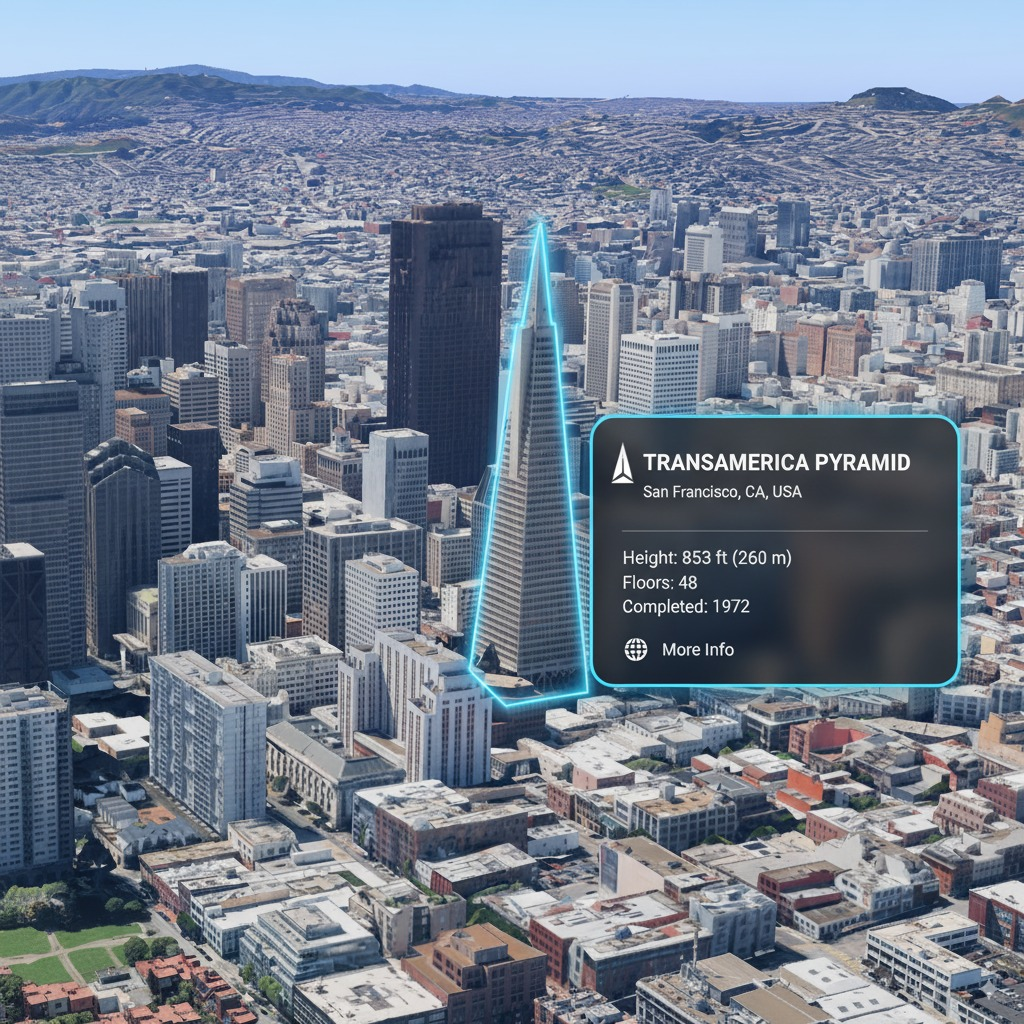
你是一个基于位置的AR体验生成器。在这张图像中突出显示[兴趣点]并标注相关信息
支持我们
如果这个项目对你有帮助,欢迎请开发者喝杯咖啡 ☕️

推荐使用微信扫码

推荐使用支付宝扫码